For music libraries
Plan the album. Brief the roster.
Keep the best tracks.
For production, trailer, sync and stock libraries: plan each album, send one brief link to your composers, and review every track with your team.
7-day free trial · no card required · Pro from $15/mo annual
Plan the album. Then brief the roster.
- Plan. On Studio, add the album to Project Planner with a brief, a due date and its tracks.
- Brief. Make its inbox in one click and send the link to your roster.
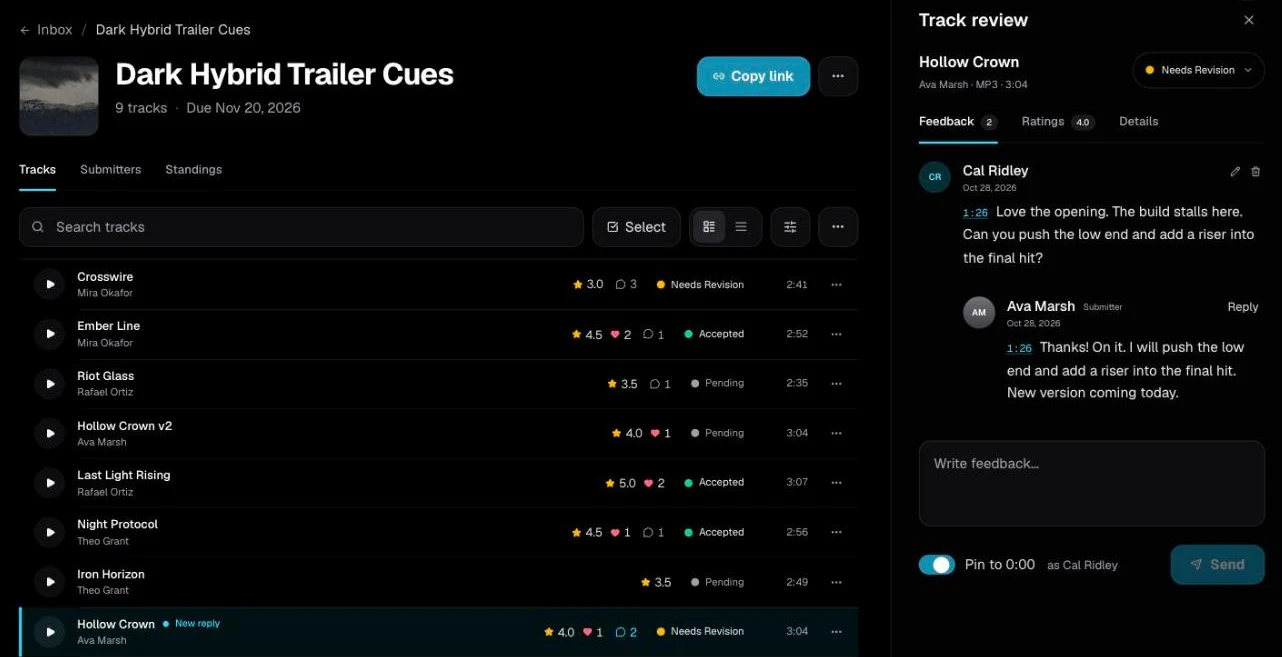
- Review. Listen, rate and pin notes as a team. Ask for revisions by email.
- Approve. Accepted tracks land on the linked album, ready to build.
Watch: Music library software: brief composers and track every album (1:44)
Follow one library album from brief to release in DropCue: plan it as a project, send one brief link to your roster, review submissions as a team, send revision notes, move accepted tracks into the album, and see every album on one board.
Want every step in detail? Read the full guide to music library software.
The album comes first. The brief comes from it.
Each album is a project with a catalog code, a brief, a due date and its tracks. Change the due date or the brief and a linked inbox that still had the old one follows. Included with Studio.
Watch: Project Planner: cues, deliverables and deadlines (1:25)
Plan every music job in one place. The DropCue Project Planner keeps your cues, deliverables, brief, agreements, deliveries and to-dos together, then shows every project on one board from planning to invoiced.
One link per brief. One list to review.
Composers upload without an account, on any plan. You listen beside the list, pin notes, rate with your team and send revisions. On Studio, every track you accept in a linked inbox is added to the album.
Watch: The DropCue Inbox: collect music submissions from composers (1:23)
Collect tracks from every composer with one link. Review each track beside the list, pin notes to exact moments, rate with your team, send feedback, and add the best tracks to your library, a playlist or an album.
Common questions from music libraries
Which comes first, the project or the brief?
The project. Start the album in Project Planner with its brief, due date and tracks, then click New inbox on it. The inbox is filled in with the same title, brief and due date. Change the project's due date or brief later and the inbox follows, unless you gave it its own.
Can tracks from a brief go straight onto an album?
Yes, on Studio. Every track you accept in the linked inbox is added to the album as Approved with the next catalog code, and a new version you group under the original with Group as versions, before you accept it, takes over the row of the original instead of adding a second one. Pending tracks never show on the album.
Can I send a brief to my whole roster at once?
Yes, on Studio. Send to roster emails the brief to the people you pick, filtered by role, rating or tag, each in their own email from your business name. You can send one reminder, at least 24 hours later, to anyone who has not submitted.
Do I need Studio to collect submissions?
No. The Inbox is on every plan: Artist includes 3 inbox requests, and Pro and Studio are unlimited. Project Planner, Roster and Send to roster are part of Studio, from $29 a month billed annually.
Brief the roster. Build the album.
Plan each album, collect every track with one link and approve the best as a team. 7-day free trial, no credit card required.
Start my free trial →Pro from $15/mo annual. Studio from $29/mo annual. Cancel anytime.