
Last reviewed
The Best Dropbox Alternative for Music Professionals
The Best Dropbox Alternative for Music Professionals
Dropbox is fine. It stores files. It syncs across devices. Your collaborators already have accounts. For backing up session projects and shuttling stems around, Dropbox is a reasonable tool, and you should keep using it for that.
But the moment you use Dropbox to pitch music to a supervisor, label, sync team, or anyone whose response matters, you are using the wrong tool. The supervisor sees a folder. They have to click through previews that are inconsistent across browsers. They have no easy way to comment, no way to flag a track, no way to come back six weeks later and find what they liked. You have no idea who actually listened. The whole experience whispers "I am not yet serious about this."
Here is what Dropbox gets wrong for music pitches, and the platform built specifically to fix it. The same problem applies to WeTransfer — see the best WeTransfer alternative for musicians if you're also using that for pitches.
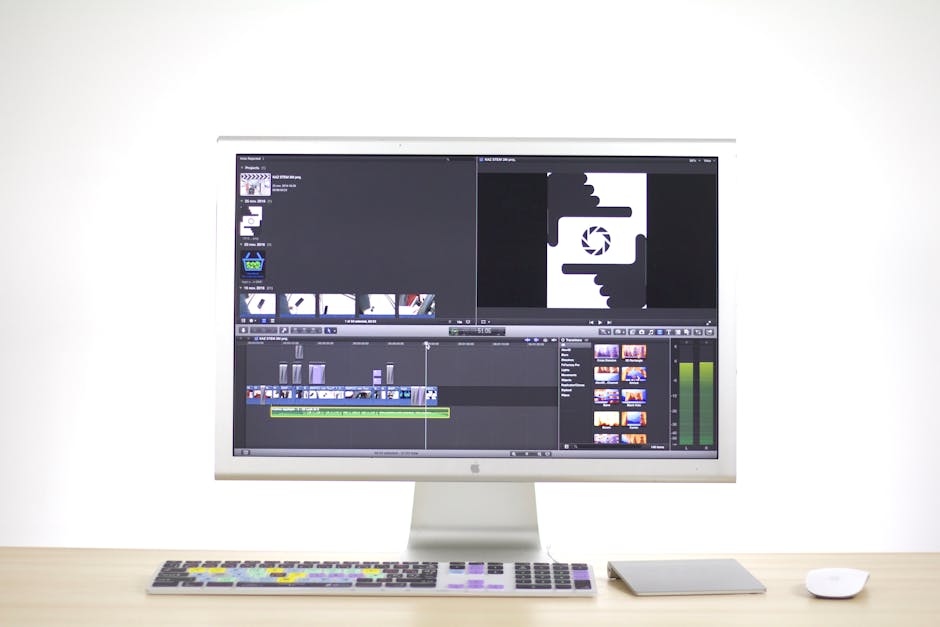
Where Dropbox Fails for Music Pitches
1. No listen tracking. Dropbox tells you how many times a file was previewed and downloaded. That is it. Was it the supervisor? Their assistant? A spam bot? Did they listen to 10 seconds or 4 minutes? Did they replay it three times or skip it? Zero signal.
2. No playlist experience. A Dropbox folder is a folder. Tracks appear as files. Supervisors have to click each one, wait for it to load, and hope the previews work. Compare that to a proper playlist with waveforms, smooth skip controls, and instant playback.
3. No branding. Your pitch looks like every other Dropbox link in their inbox. Your logo is nowhere. Your name appears once in the share notification email and then vanishes.
4. Weak download controls. Downloads are on or off at the folder level. You cannot toggle WAV access separately from MP3, or enable downloads for one specific recipient.
5. No feedback workflow. If a supervisor wants to comment on a track, they have to type an email describing the moment. No timestamps, no context, no pinned feedback.
What You Actually Need for Music Pitching
Professional music delivery needs six things Dropbox does not provide:
- Branded playlists that reinforce your identity
- Per-recipient listen tracking at the track level
- Password protection at the share-link level
- Granular download controls (WAV, MP3, AIFF toggled independently)
- Timestamped feedback tools
- Persistent, sendable links that do not require account access
DropCue: Built for This
DropCue is purpose-built for music professionals. Unlike Dropbox, which is generic file storage, DropCue is a pitching and delivery platform — same features as DISCO.ac with every feature included at a fraction of the cost, with a cleaner modern interface.
What you get:
- Branded playlists with your logo and colors
- Real-time analytics per track, per listener (plays, duration, skips, downloads)
- Password protection and expiration dates on every link
- Download controls toggled by format per playlist
- Timestamped comments that supervisors pin directly on the waveform
- Playlist sections to group by mood or use case
- Auto-grouped ALT mixes so instrumentals, stems, and 30-second cuts nest under the parent track
- Music submission inbox for receiving pitches from your network
- Portfolio pages with no-login public links
Pricing:
- Starter: $5/mo annual ($7 monthly), 500 tracks, full analytics
- Pro: $19/mo or $15/mo annual (full feature set, advanced analytics)
- 7-day free trial, no credit card required
Head-to-Head: Dropbox vs DropCue for Music Pros
| Dropbox | DropCue | |
|---|---|---|
| File storage | Yes | Yes (up to 1GB per file, catalog capped by track count) |
| Playlist experience | No — folder only | Yes — waveforms, sections, smooth playback |
| Listen tracking | No (preview count only) | Yes — per track, per listener |
| Branded delivery | No | Yes (logo, colors) |
| Password protection | Link-level only | Yes |
| Timestamped comments | No | Yes |
| Download controls | All or nothing | Per-format toggle (WAV, MP3, AIFF) |
| Price (entry) | $9.99/mo | $5/mo |
| Built for | General file sync | Music pitching and delivery |
When Dropbox Is Still Fine
Dropbox is still the right tool for:
- Session file backup (Logic, Pro Tools, Ableton projects)
- Stems and multi-track project sharing with collaborators
- General file storage where cross-device sync matters
- Sharing reference tracks in a group chat where presentation does not matter
Keep Dropbox for those use cases. Use DropCue for anything that is a pitch, a delivery, or a share with someone whose reaction matters.
How to Switch (10 Minutes)
1. Sign up for DropCue — dropcue.app/signup, 7 day trial, no credit card 2. Upload your current pitch folder (WAV, MP3, AIFF, FLAC — any size) 3. Drag tracks into a playlist, add sections if you have more than 10 tracks 4. Set password, download toggles, expiration date 5. Send the branded link to your contact
Most users finish their first professional pitch within 15 minutes of signup.
Frequently Asked Questions
Is Dropbox ok for sending music to clients?
Ok for sending session files, stems, and project archives to people you already work with. Not ok for pitching music to supervisors or anyone whose engagement actually matters. The lack of listen tracking, branding, and feedback tools means you are flying blind.
What's the most accessible professional alternative to Dropbox for music sharing?
DropCue. Plans start at $5 a month (annual) for 500 tracks, with full per-track listen analytics, branded share links, password protection, and download controls included. Dropbox starts at $9.99 a month and gives you generic file sharing with no music-specific tools.
Can I keep using Dropbox alongside DropCue?
Yes, and most working composers do. Dropbox handles session backup, multi-track stems, and reference file storage. DropCue handles the pitching, delivery, and supervisor-facing share links. They solve different problems.
What file formats does DropCue support?
Audio: WAV, MP3, AIFF, FLAC, M4A, OGG. Video on Pro plans: MP4, MOV, WebM. Document attachments on Pro: PDF, DOC, license agreements, cue sheets. Up to 1GB per file.
Do my Dropbox folders transfer to DropCue automatically?
Not automatically, but the move is straightforward: download your tracks from Dropbox to your local drive, then bulk upload to DropCue. DropCue auto-reads embedded metadata (ID3, WAV chunks, AIFF chunks), so most of your tagging carries over without manual entry.
What happens to old Dropbox links I've already sent?
They keep working as long as your Dropbox subscription is active. The cleanest move is to keep Dropbox running while you migrate active supervisor relationships to DropCue links over the next 30 to 60 days, then decide whether to keep Dropbox for non-music storage or cancel.
Related Reading
Related: WeTransfer alternative for musicians | Outgrown email attachments | Share music playlists professionally
