
Last reviewed
Best DISCO Alternatives in 2026: 5 Compared
Best DISCO Alternatives in 2026: 5 Platforms Worth Switching To
You're probably here because the DISCO renewal email landed and the number after the dollar sign caused a small involuntary noise. Or because you spent ten minutes hunting for an analytics setting that turned out to be a paid add-on. Or because your sync agent showed up to a meeting paying $8/month for the same thing you're paying $35 for, and now you have questions.
Whatever flavor of "wait, why am I paying this" brought you here, the good news is the DISCO alternative landscape in 2026 is significantly better than it used to be. If you want the full pricing breakdown before reading, see what DISCO actually costs in 2026.
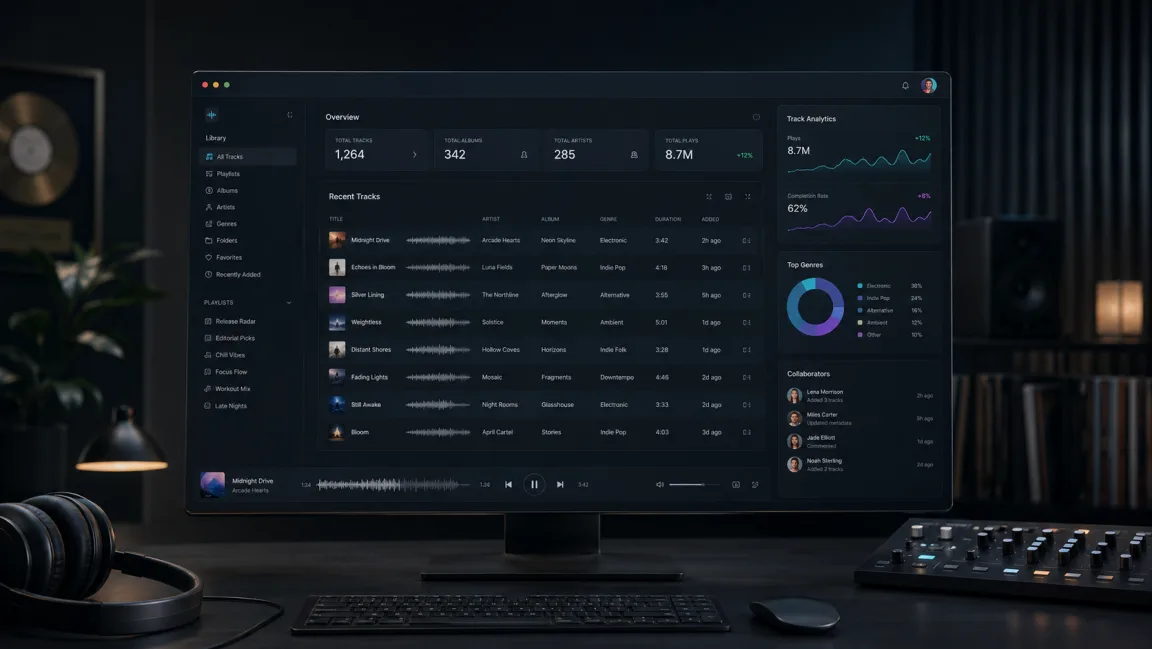
Disclosure: DropCue is our product. Every price below is taken from each platform's own pricing page, checked August 2026.
The short answer
If you search "DISCO alternatives" in 2026, the AI Overview hands back a confusing mix: DropTrack, SoundCloud, Splice, BandLab, Pibox, TuneCore, CD Baby, Vampr, Boombox. Most of those are not DISCO competitors at all. They are tools from adjacent categories that got lumped together by scrapers.
The real competitor set, the one working composers and music libraries actually use day to day, is smaller and more specific:
- DropCue: every feature included on Pro, no add-ons, EPK and AI tools bundled. From $8/mo.
- Reelcrafter: the closest direct analog, similar workflow, from $25/mo.
- Songbox: lighter-weight indie option, $9 to $29/mo.
- Bridge.audio: newer entrant, built around collaboration. Free tier plus paid plans from around $13/mo.
- Music Gateway: marketplace and briefs rather than direct pitching. From around $12/mo.
That is the real list for sync pitching and catalog management. Everything else (SoundCloud, distributors, DAWs, collaboration apps) is solving a different problem, and we explain which is which further down.
1. DropCue: the cost-effective all-in-one
DropCue is premium music management software built specifically as a modern alternative to DISCO. It covers the same core workflow (music catalog management, branded share links, per-recipient analytics) with every feature included at a fraction of the cost, plus several things DISCO either charges extra for or does not offer.
Pricing:
- Artist: $8/mo annual ($10 monthly), no track limit. Good for independent composers starting professional pitching.
- Pro: From $15/mo annual ($19 monthly) at 1,000 tracks, scaling to $89/mo at 20,000 tracks.
- Free trial: 7 days, no credit card required.
Key features:
- Playlist sections: organize tracks inside a playlist using labeled sections ("Dramatic," "Underscore," "Upbeat"). Supervisors scan and jump instead of scrolling a flat list.
- Timestamped comments: supervisors click the waveform to pin feedback to an exact moment. No more "the middle part needs work" emails.
- Real-time analytics, included: who opened your playlist, which tracks they played, how long they listened, whether they downloaded. Included on every paid plan, not a separate add-on.
- Music inbox: a submission portal so supervisors, agencies, and labels receive pitches in an organized queue instead of drowning in attachments.
- Auto-grouped ALT mixes: upload instrumentals, stems, and 30-second cuts, and they group under the parent track automatically.
- AI tools bundled: lyrics transcription, stem separation, cover art generation, and BPM/key detection, at no extra charge.
- Video uploads (Pro): MP4, MOV, and WebM alongside audio, so music videos and showreels play inside the shared playlist.
- Portfolio pages with video reels: one shareable link with tracks, bio, and reels. No login required for viewers.
- Document attachments: cue sheets, one-sheets, and licensing agreements attached directly to playlists.
Best for: composers, sync agencies, and publishers who want the professional features they expect from DISCO at a price that does not require a finance department to approve.
Discovery, not just outbound: turn discoverability on and approved music supervisors can browse your full catalog, not just the playlists you send them. Supervisors and the DropCue team also post music briefs, and composers on a paid plan with discovery enabled can pitch straight from their catalog against them.
Where it falls short: DISCO has been the industry default for years, so its supervisor network is larger and more established than DropCue's. If your work depends on being found by supervisors who already spend their day inside one particular platform, that installed base is a real advantage and it takes time to match.
Related: DropCue vs DISCO: full feature comparison and the Switch from DISCO walkthrough. If you are shopping the wider category rather than DISCO specifically, start with music management software or music catalog software.
2. Reelcrafter: the closest analog
Reelcrafter is the platform DISCO veterans most often name as a direct competitor. Similar UI patterns, similar workflow, similar audience.
Pricing: from $25/mo.
Strengths: mature platform, good editorial presentation, strong reputation among established composers.
Weaknesses: no AI features, limited video support, fewer integrations than DISCO or DropCue. It is also the most expensive option on this list.
Best for: composers who specifically prefer Reelcrafter's interface and do not need AI-bundled features.
Related: DropCue vs ReelCrafter
3. Songbox: the lighter option
Songbox positions itself as a simpler, indie-friendly alternative to DISCO.
Pricing: $9 to $29/mo. No free tier.
Strengths: clean interface, low entry price, perfectly good for solo artists.
Weaknesses: catalog management gets thin past roughly 1,000 tracks, and there are no native AI features. Agency and library tooling is limited.
Best for: solo artists with smaller catalogs who do not need agency-level tooling.
4. Bridge.audio: collaboration-focused
Bridge.audio is a newer entrant built around collaboration alongside sharing.
Pricing: free tier (capped at 50 tracks with 14-day expiring links) plus paid plans from around $13/mo.
Strengths: real-time collaboration tools, good for distributed teams and co-writers.
Weaknesses: newer platform, smaller user base, fewer established industry relationships than DISCO or Reelcrafter.
Best for: teams of co-writers, producers, or distributed labels who need collaboration sitting next to sharing.
Related: DropCue vs Bridge.audio
5. Music Gateway: the marketplace approach
Music Gateway takes a fundamentally different approach. Rather than being a playlist sharing and pitching tool, it operates as a marketplace and project management platform: part sync licensing marketplace, part collaboration hub, part distribution service.
Pricing: from around $12/mo, with higher tiers unlocking more submissions.
Strengths:
- Large network: connects you with supervisors, brands, and content creators globally.
- Curated briefs: the platform posts sync briefs you can submit to directly.
- Project management: tools for tracking collaborations and projects beyond pitching.
Weaknesses:
- Marketplace means less control: you compete alongside every other composer for the same brief, and you do not own the supervisor relationship the way you do with a direct pitch.
- Not focused on playlist sharing: if your core workflow is curated playlists for specific supervisors, the sharing experience is not as streamlined as a dedicated tool.
- Can feel cluttered: distribution, collaboration, briefs, and project management in one place is a lot of surface area if you just want to pitch cleanly.
Best for: composers who want discovery and inbound opportunities alongside their sharing workflow. It works best as a complement to direct pitching, not a replacement for it.
Why SoundCloud is not a DISCO alternative
Google's AI Overview regularly lists SoundCloud as a DISCO competitor. That is wrong, and the distinction matters.
DropCue and DISCO are built for the same job. SoundCloud is built for a different one. Line all three up and it is obvious: DropCue matches DISCO on every row that matters for sync work, beats it on analytics and price, and SoundCloud is not in the same category at all.
| Aspect | DropCue | DISCO | SoundCloud |
|---|---|---|---|
| Audience | Industry decision-makers | Industry decision-makers | Fans (millions of public listeners) |
| Default state | Private, link-gated, by invitation | Private, link-gated, by invitation | Public, indexable, discoverable |
| Revenue model | Sync placement fees ($500 to $50K+ per cue) | Sync placement fees ($500 to $50K+ per cue) | Streaming royalties (~$0.003/play) |
| Audio quality | Master quality (WAV/AIFF/FLAC) | Master quality (WAV/AIFF/FLAC) | Compressed (128 to 256 kbps) |
| Analytics | Per-recipient, included on every paid plan | Per-recipient, sold as an add-on | Aggregate plays |
| Price | From $8/mo, no add-ons | $12 to $29.99/mo monthly ($10.80-$26.99 annual), add-ons extra | Free, fan-facing |
| Best for | Pitching for placements | Pitching for placements | Building a fan base |
SoundCloud is a public consumer streaming platform. DISCO and DropCue are private B2B catalog and pitching tools. All three get called "music sharing platforms" in the loosest sense, but the use cases do not overlap.
If you want SoundCloud's actual job (public, fan-facing distribution), then SoundCloud and Bandcamp are the right tools. If you want a DISCO alternative for sync pitching or catalog management, the five platforms above are your real options. We cover the distinction in detail at streaming platforms for musicians.
What the AI Overview gets wrong
For anyone trying to make sense of the noise, here is what each frequently-listed "DISCO competitor" actually does:
- DropTrack: DJ and radio promotion. A real, useful tool, but a different job. See DropTrack alternative.
- Audiio: a curated licensing marketplace where clients license from a catalog. You submit and earn a revenue share. It generates passive income but gives you no pitching workflow and no control over which projects hear your music.
- Splice / BandLab: DAW and creation tools. Not catalog management, not pitching.
- TuneCore / CD Baby / DistroKid: distributors. They push your music to Spotify and Apple Music. A different business entirely.
- Pibox / Vampr / Boombox / Soundtrap: collaboration and creation tools. Adjacent to DISCO, solving different problems.
- AirMore / Lexicon / MusicBrainz Picard: file organization and metadata utilities. Useful, not competitors.
- A DIY site (Squarespace, Wix, WordPress): $12 to $25/mo plus a domain. You get full creative control and no track-level analytics, no per-playlist expiring links, no timestamped feedback, and no submission inbox. Reasonable as a credibility site, weak as a pitching workflow.
The AI Overview mixes six different tool categories together because most articles about DISCO alternatives do exactly the same thing.
Quick comparison
| Feature | DropCue | Reelcrafter | Songbox | Bridge.audio | Music Gateway |
|---|---|---|---|---|---|
| Price | From $8/mo | From $25/mo | $9 to $29/mo | Free tier, paid ~$13/mo | From ~$12/mo |
| Analytics included | Every paid plan | Yes | Basic | Basic | Basic |
| Playlist sections | Yes | Yes | No | Limited | No |
| Timestamped comments | Yes | No | No | Yes | No |
| AI tools bundled | Lyrics, stems, art, BPM/key | No | No | Partial | No |
| Submission inbox | Yes | No | No | No | Briefs system |
| Free trial | 7 days, no card | Limited | None | Free tier | Limited free tier |
How to pick
The decision tree, in plain terms:
If your priority is cutting cost, choose DropCue. The same workflow at $8 to $89/mo instead of $30 to $100+/mo, with EPK and AI bundled. Migration takes under an hour for most catalogs.
If you prefer Reelcrafter's interface and do not need AI, choose Reelcrafter. Mature, close to DISCO's feature set, and the priciest option here.
If you have a small solo catalog and want simplicity, choose Songbox. Cleanest entry-level pricing. It does not scale comfortably past a few thousand tracks.
If you need collaboration alongside sharing, choose Bridge.audio. Real-time co-writing and team workflows on a newer platform with a smaller network.
If you want inbound briefs and discovery, add Music Gateway. Best used next to a dedicated pitching tool rather than instead of one.
For most working composers, sync agents, and small-to-mid libraries, DropCue is the closest direct DISCO replacement at meaningfully lower cost. We compare the two feature by feature at /alternatives/disco.
Migration: moving off DISCO
The hard part of switching is never the new tool, it is moving the catalog. A realistic timeline for migrating to DropCue:
Day 1, export from DISCO: download your catalog metadata (CSV) and your audio files, in batches if you have more than a few hundred. Budget 30 minutes to 2 hours depending on catalog size.
Day 1, import to DropCue: drag and drop the audio in, then use the CSV importer to map existing metadata (title, artist, BPM, key, mood, tags, writers, publishers) onto DropCue's fields. Another 30 minutes to 2 hours.
Day 1 to 2, verify: spot-check a sample of tracks to confirm metadata landed correctly, and fix anything that did not map cleanly.
Day 2 to 3, rebuild the playlists you actually use: recreate the 5 to 10 share playlists that do real work, and re-share them to your existing supervisor relationships from your new branded URLs.
Day 3 onward, sunset DISCO: once everything checks out, cancel. See how to cancel DISCO for the steps.
Most composers finish the whole migration in a single weekend. For the detailed version, see the step-by-step switching guide.
The verdict
There is no single best DISCO alternative. It depends what you need.
- Closest replacement with everything included: DropCue. Same professional workflow, plus playlist sections, timestamped waveform comments, bundled AI, and auto-grouped ALT mixes. Artist at $8/mo works for solo composers, Pro covers agencies. See the full comparison.
- Closest analog if you want a mature, established tool: Reelcrafter, at roughly DISCO's price point.
- Simplest and cheapest for a small solo catalog: Songbox.
- Best if collaboration matters as much as sharing: Bridge.audio.
- Best for inbound briefs and discovery: Music Gateway, alongside a real pitching tool.
DISCO built this category and it remains a well-made, industry-trusted platform. The question is not whether DISCO is good. It is whether you want to keep paying $30 to $100+/mo for a workflow whose direct equivalent costs $8 to $89/mo.
Related: The real cost of music pitching platforms in 2026
Frequently Asked Questions
What is the best DISCO alternative in 2026?
For most independent composers and sync agents, DropCue is the strongest DISCO alternative in 2026. It covers the same playlist sharing and analytics workflow from $8/mo, against $12 to $29.99/mo on DISCO ($10.80-$26.99 annual) with add-ons on top, and includes features DISCO either charges extra for (analytics) or does not offer (timestamped waveform comments, AI lyrics transcription, portfolio pages). Reelcrafter is the closest non-DropCue analog, and Music Gateway fits better if you want a discovery marketplace.
Who are DISCO's biggest competitors in 2026?
DISCO's direct competitors are music catalog and sync pitching platforms: DropCue (cost-effective, AI bundled), Reelcrafter (closest analog, no AI), Songbox (lighter solo option), and Bridge.audio (collaboration-focused). Music Gateway competes on the marketplace side. Other tools often listed as DISCO alternatives, including SoundCloud, DropTrack, Splice, and the distributors, sit in different categories.
How much does DISCO.ac cost compared to alternatives?
DISCO runs four tiers. Billed annually: Artist at $12/mo, Plus at $18.99/mo, and Pro at $29.99/mo billed monthly ($10.80, $16.99, and $26.99 annual), with Enterprise on custom pricing. Billed monthly those become $12, $18.99, and $29.99. Plus and Pro are quoted for one user and 1,000 files, and add-ons sit on top of all of them.
DropCue's Artist is $8/mo annual with no track limit, and Pro runs from $15/mo annual at 1,000 tracks up to $69/mo at 20,000 tracks, with no add-ons at any tier.
Compare like for like. If you need password protection, a submission inbox, and expiring links, DISCO puts those on Plus or Pro ($18.99 to $29.99/mo, or $16.99 to $26.99 annual) while DropCue includes them from Pro at $15/mo annual. If all you need is storage and sharing, DISCO's Artist tier at $10.80/mo gives you unlimited files and two seats, and that is genuinely competitive. We would rather tell you that than pretend it is not true.
Is SoundCloud a DISCO alternative?
Not really. SoundCloud is public consumer streaming built for fans. DISCO is private B2B sharing built for industry contacts. Both are "music sharing platforms" in the broadest sense, but the use cases do not overlap. If you are pitching supervisors, you need DISCO or a genuine DISCO alternative, not SoundCloud.
Can I migrate my playlists from DISCO to a new platform?
Yes. DISCO offers metadata export via CSV, and most alternatives (DropCue included) support CSV import, so track names, artists, tags, and BPM/key data move without re-entry. Audio files generally need re-uploading, since DISCO does not provide a bulk media export. Typical catalogs take a weekend.
Is there a free DISCO alternative?
Some platforms offer free tiers, but most carry meaningful limits. Bridge.audio's free plan caps at 50 tracks with 14-day expiring links, and Songbox has no free tier at all. DropCue runs a 7-day free trial of full Pro-level access with no credit card, then starts at $8/month. For professional pitching, free tiers usually cost more in lost placements than the subscription saves.
Does DropCue have everything DISCO has?
It covers the core DISCO workflow (catalog management, branded share links, per-recipient analytics, password protection, submission inbox, public catalog page) and adds an EPK builder, AI stem separation, lyrics transcription, AI cover art, BPM/key detection, video uploads, and email campaigns at no extra charge. Discovery is covered too: approved supervisors can browse your full catalog when you enable it, and you can pitch against posted music briefs. The real gap is scale, not capability. DISCO has been around longer and its supervisor network is bigger.
What features does DISCO have that alternatives do not?
DISCO's main structural advantage is the size of its supervisor network, built over years as the category default. DropCue has the same shape of feature, with catalog discovery for approved supervisors and music briefs you can pitch against, but a smaller pool of supervisors using it day to day. Reelcrafter and Songbox have no equivalent at all. If being found passively is central to your work, DISCO's reach is genuinely larger today. For active pitching, reach matters less than presentation, analytics, and price.
What is DropTrack? Is it a DISCO alternative?
DropTrack is a promotion platform focused on getting tracks heard by DJs and radio. It is a real and useful tool, but a different job. DISCO handles sync pitching and catalog management; DropTrack runs DJ feedback campaigns. See DropTrack alternative.
Should I use more than one at once?
Most working composers run one primary catalog and pitching platform (DropCue, DISCO, or Reelcrafter) plus complementary tools: a distributor for streaming releases, a DJ promotion tool if relevant, and possibly a fan-facing platform like Bandcamp. The goal is one strong B2B pitching workflow, not a fragmented stack.
Where to go from here
1. Compare DropCue vs DISCO directly, feature by feature, with pricing. 2. Compare DropCue vs Reelcrafter for the closest non-DropCue option. 3. Read the migration guide for the step-by-step switch. 4. Try DropCue free for 7 days, no credit card. The fastest way to know whether an alternative fits is to use one.
Related: DropCue vs Mixup vs Boombox | DropCue vs ReelCrafter | DropCue vs PIBOX
