
Which of Your Tracks Do Music Supervisors Actually Play? How to Find Out
The short version
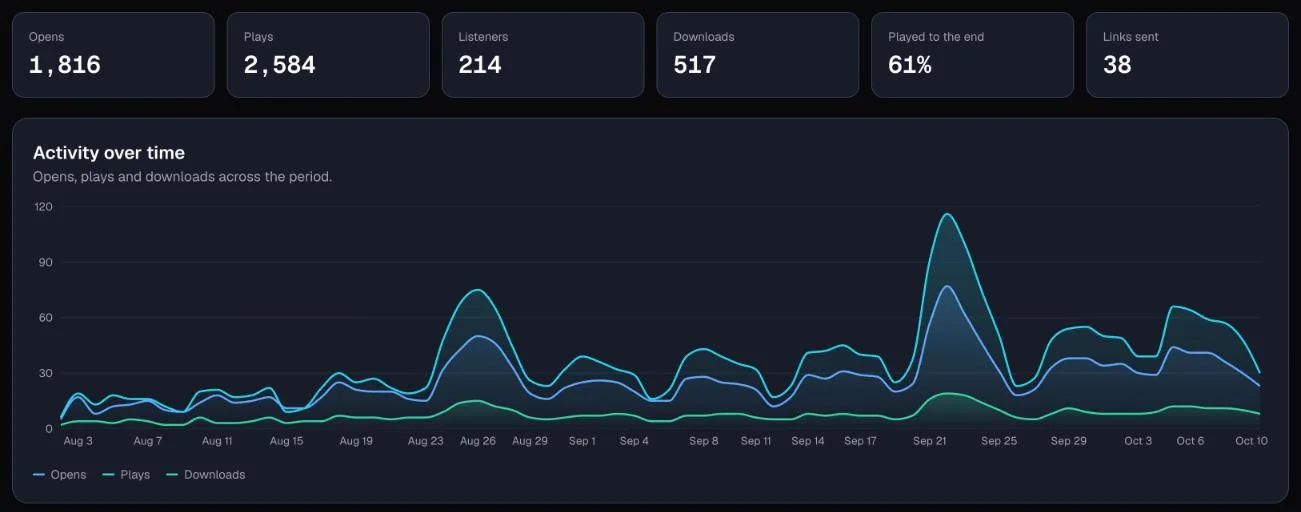
You sent a playlist to a music supervisor. The link was opened. That tells you almost nothing.
What tells you something is which tracks they pressed play on, whether they listened to the end, and what they downloaded. A download is the strongest signal you will get without a reply: someone wanted the file badly enough to keep it.
To see those signals you need two things. First, a tracked link for each person, so every play has a name on it. Second, a report that adds it all up over a period you choose, so one busy afternoon does not hide a quiet month.
Here is how to read the signals, in order of how much they mean.
Disclosure: DropCue is our platform, and the screenshots in this post are drawn from sample data, not a real account.
Step 1: Give every person their own link
A single public link tells you a playlist was played. It cannot tell you by whom. If you send the same link to six supervisors and see twelve plays, you do not know whether one person listened twice or six people listened once.
So send each person their own tracked link. In DropCue that means adding them as a recipient when you share a playlist or album. Each one gets a link with their name attached, and every open, play and download is recorded against it.
People who open a link with no name still count in your totals. They just cannot be listed by name.
Step 2: Read plays, not opens
An open means the page loaded. People open links to check what arrived, to forward them to an editor, or by accident on a phone. Treat an open as "it got through", nothing more.
A play means someone chose a track. When one supervisor plays three tracks out of twelve, those three are your shortlist. When several people play the same track, that track is doing your pitching for you.
Step 3: Check who listened to the end
Plays are easy to start. A track heard all the way through is a different signal: it held a busy person for its full length.
DropCue's Reports page has a view called Listened to the end. Each track gets one bar for its plays, and the bright part of the bar is the share heard all the way through. A track with fewer plays but a long bright bar is often a better lead than a track people skip after twenty seconds.
Step 4: Treat downloads as the strongest signal
A supervisor who downloads a track is taking it somewhere: into an edit, into a temp score, onto a shortlist for a director. If you only follow up on one signal, follow up on downloads.
Look at Most downloaded for the period, then at who downloaded each track. That is the list of people to write to first.
Step 5: Look for the quiet tracks
The opposite list matters too. Least played shows the main mixes on your live playlist and album links with the fewest plays. If a track keeps landing at the bottom across several pitches, move it down the playlist or swap it for something stronger. Do not decide from one pitch; look across a month or a quarter.
Step 6: See where each track travels
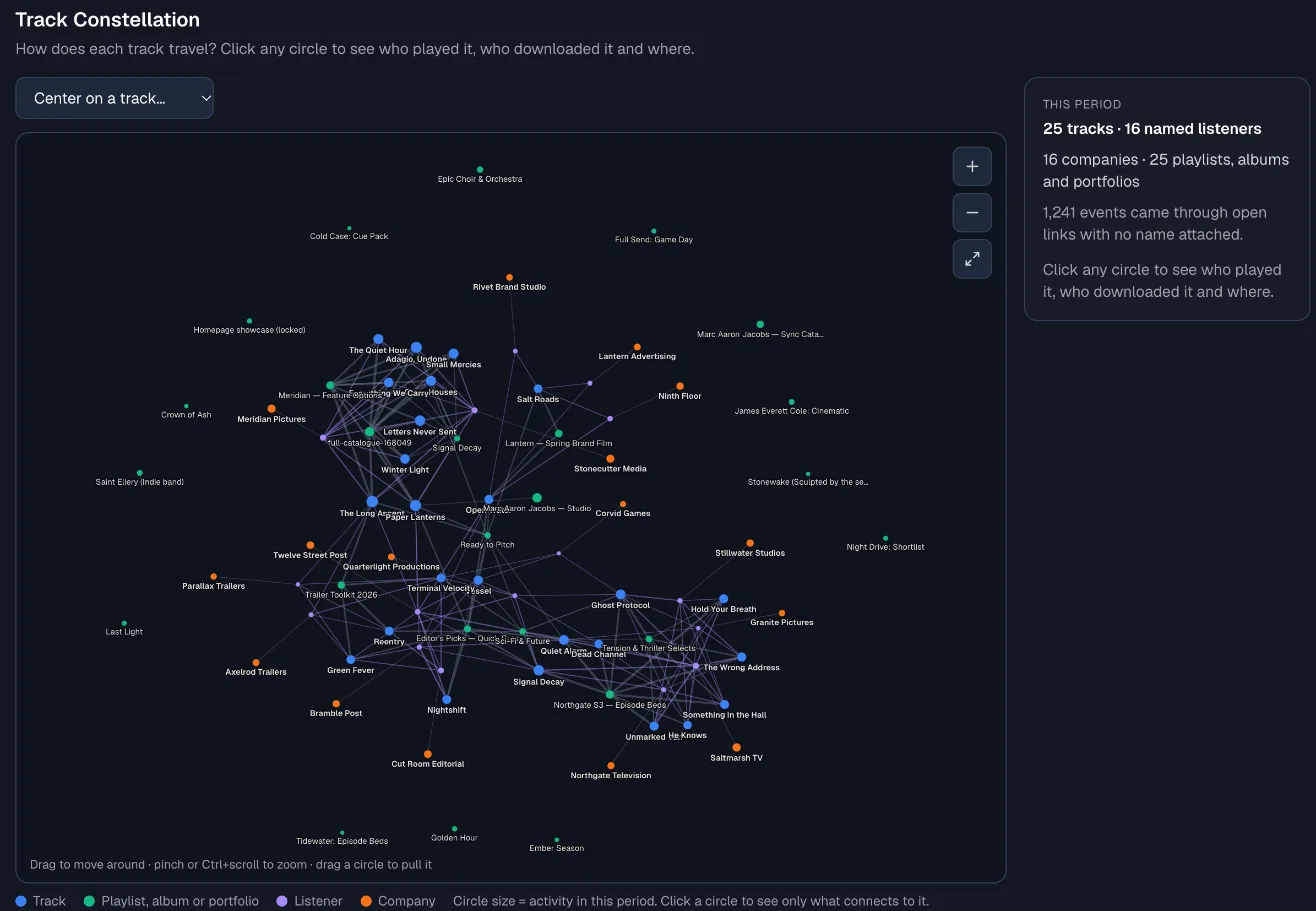
Some tracks get passed around. A supervisor plays one, a colleague at the same company plays it the next day, and it turns up on another playlist you sent. The Track Constellation on the Connections tab draws that as one map: each track, the playlists it was heard on, and the people and companies who played it. Click a track to list who played it, who downloaded it and where.
Step 7: Compare with the period before
A single number does not tell you much. "21 plays" is good or bad depending on what came before. Pick a period such as the last 30 days and turn on Compare: every number then shows whether it went up or down, and what it was in the 30 days just before.
That is how you find out whether the new trailer playlist is working better than the old one, or whether last month's push actually moved anything.
Step 8: Follow up while it is warm
Timing matters as much as content. If someone played four tracks this morning, a short note this afternoon lands differently from one sent next week. The Listening Spiral shows your busy days at a glance, and the named listener list shows who was active most recently.
Keep the follow up short and specific: name the track they played, offer stems or an alternate version, and stop there.
Turn it into a report you can share
Once a month, export the whole thing. DropCue's Export report button gives you a PDF with every chart and table, an Excel workbook with one sheet per section, or a ZIP of CSV files. It is useful for a label or publisher you work with, for a manager, or just for your own records.
Reports is on DropCue Pro and Studio. Studio adds the money side: your top and lowest earning tracks from imported royalty statements, and a Business tab with licenses and pitches. Everything is on the Reports page, and per-recipient tracking is explained on playlist analytics.
Frequently Asked Questions
Can I see which tracks a music supervisor played?
Yes, if you sent them their own tracked link. Every play and download is then recorded with their name, and you can see which tracks they played, which they downloaded and when.
Does a supervisor know their plays are tracked?
Nothing changes on their side. They open the link and listen as they would on any professional sharing tool. The listening data is visible only to you.
What is the best signal that a supervisor is interested?
A download. It means they took the file somewhere. After that, a track heard all the way through, then a play. An open on its own only tells you the link arrived.
How often should I check my report?
Glance at recent activity after each pitch, so you can follow up while it is warm. Read the full report monthly or quarterly with Compare turned on, so you see trends rather than single days.