
How to Build a Photography Portfolio for Music and Film Clients
The short version
A label art director or a film producer gives your portfolio about a minute. In that minute they want to see three things: the kind of work they are hiring for, that you can deliver it at a professional level, and how to reach you.
So build the page for that minute. Lead with one strong photo. Group the rest into a few clear series. Say who you have worked for. Make contact one click away. Then send each person their own link, so you know who actually looked before you follow up.
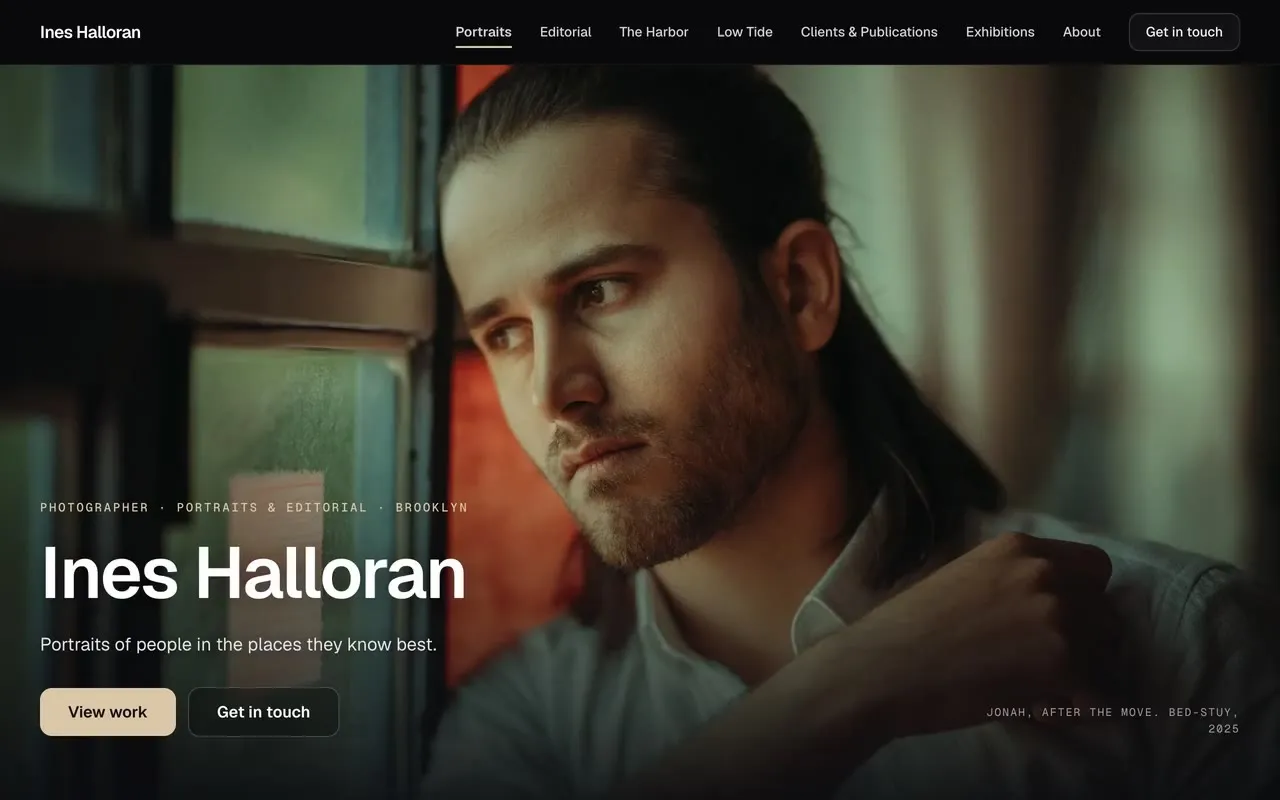
This guide walks through each step, using a live example page: Ines Halloran, a demo photographer page we built on DropCue.
Disclosure: DropCue is our platform. Ines Halloran is a fictional photographer we made for the example; the photos are licensed stock from Pexels.
Watch: The Gallery and Cutting Room: DropCue portfolio designs for photographers and filmmakers
Who this is for
Photographers and visual artists who work around music, film and TV:
- Artist and band photographers shooting press photos, album and single artwork, and editorial
- Tour and live photographers working with artists and their teams
- Unit stills and behind-the-scenes photographers on film, TV and commercial sets
- Album artists and illustrators whose work sits on records and posters
The people hiring you are art directors, label marketing teams, managers, publicists, producers and commissioning editors. They look at a lot of portfolios, and most of them are looking on a laptop between other jobs, or on a phone.
Step 1: Lead with one photo
The first thing on the page should be one photo, big. Not a grid of twelve, not a slideshow that changes before anyone has looked. One image that says what you do.
Pick the photo that matches the work you want more of, not your personal favourite. If you want more album covers, lead with a cover-quality portrait. If you want more live work, lead with a live shot.
In DropCue's Gallery design, the first photo of your first series becomes a full-screen cover with your name, your role and a line about your work over it. Change the cover by changing which photo comes first.
Step 2: Group your work into a few series
A wall of 80 unrelated photos is hard to read. Three to five series of 6 to 12 photos each is easy to read, because each series answers one question a client might have.
Good series are named the way clients think:
- Portraits for press and artist photos
- Editorial for magazine and fashion work
- Live for tour and concert work
- Stills for film and TV sets
- A personal project, which shows how you see when nobody is briefing you
Keep each photo at its own shape. Cropping a portrait into a square to make a grid tidy throws away the composition you were hired for. The Gallery lays each series out as a wall of photos in even rows, with portraits and landscapes side by side and nothing cropped.
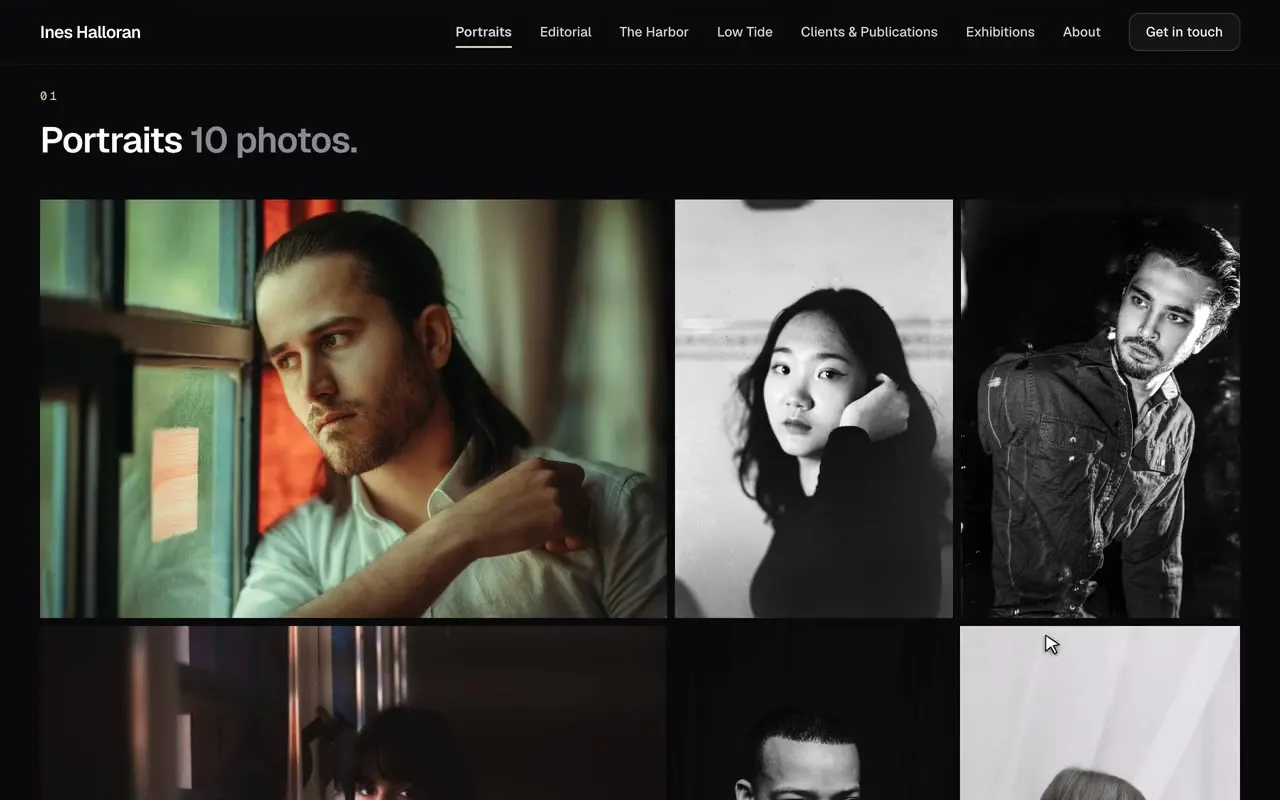
A click should open a photo full size. Art directors want to see detail: skin, light, focus. On a Gallery page a click opens the full-size view, and arrows, keys or a swipe step through the series.
Step 3: Caption the work that needs context
Not every photo needs a caption. The ones that do are the ones with a client, a publication or a story behind them: "Mei for Field Notes magazine", "Theo, Red Hook". A caption turns a nice photo into proof that someone paid you to take it.
On DropCue each photo can carry a caption, which shows on hover and in the full-size view, and a link, for example to the published article or the release.
Step 4: Use a carousel for a project, not for everything
Carousels hide work: most visitors never click past the second slide. Use walls for the work you want seen, and keep a carousel for a personal project that reads best one image at a time, like a series shot in the same place over a long period.
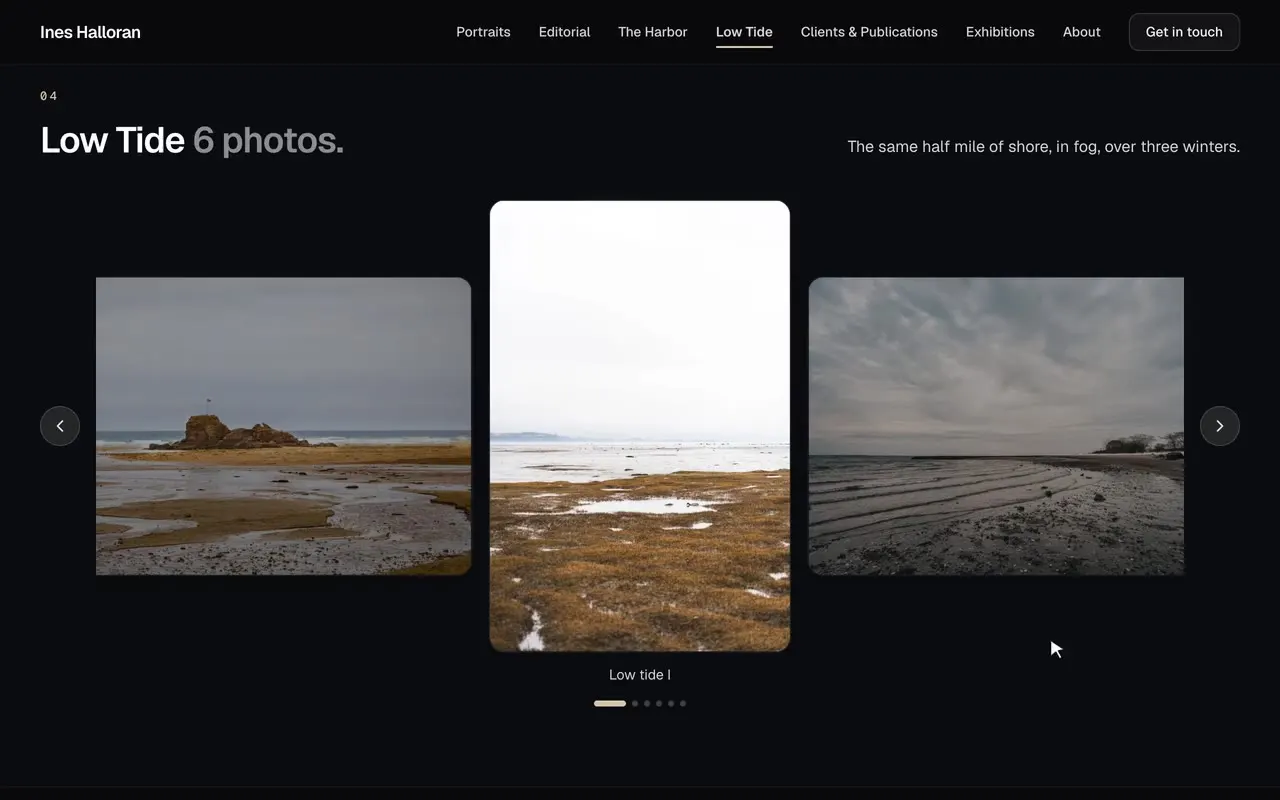
In The Gallery, set a series to Display: Carousel and it shows as a slideshow under the same heading; every other series stays a wall.
Step 5: Say who you have worked for, and what is next
After the photos, a short list of clients and publications does more than a long bio. "Field Notes, magazine, portrait series, 2026" tells an art director you have done this before.
Then list what is coming up: shows, exhibitions, a book. It shows you are active, and gives a reason to get in touch now.
On DropCue these are a Credits list and a Dates list, which you edit row by row, and which sit under your series on the same page. Keep the bio short: where you are based, what you shoot, and how you work.
Step 6: Make contact obvious
A "Get in touch" button at the top and a contact block at the bottom. Include your email, your agent if you have one, and a phone number if you take calls. Do not make an art director hunt for a form.
Step 7: Send it privately, and see who looked
Sending the same public link to everyone tells you nothing. Send each person their own link instead, so that when the page is opened, you know who opened it.
On DropCue you can put a password on the page, and send each label, art director or producer their own tracked link. On Pro, the portfolio analytics show page views over time and views per recipient link, so you can follow up with the people who looked, and leave the rest alone for a few weeks.
Two things DropCue does not do, so you are not surprised: it does not count views per photo, and it does not sell prints or run client proofing. It is a portfolio page, not a shop.
Can I use it if I also work with musicians?
Yes, and that is the point. If you shoot for bands, you can put their music or a video clip on the same page as your photos, or keep the page photos only. A page does not need any music on it.
What it costs
The Gallery design and the portfolio are part of DropCue Pro, from $15 a month billed annually. Studio adds a custom domain, so the page can live at your own address. Every plan starts with a 7-day free trial, no card required.
Checklist
- One cover photo that matches the work you want more of
- Three to five series, named the way clients think
- Every photo at its own shape, full size on a click
- Captions on the commissioned work
- A carousel only for a personal project
- Clients and publications, and what is coming up
- Contact at the top and the bottom
- One tracked link per person
See the live example page, or read more about DropCue for photographers and artists.