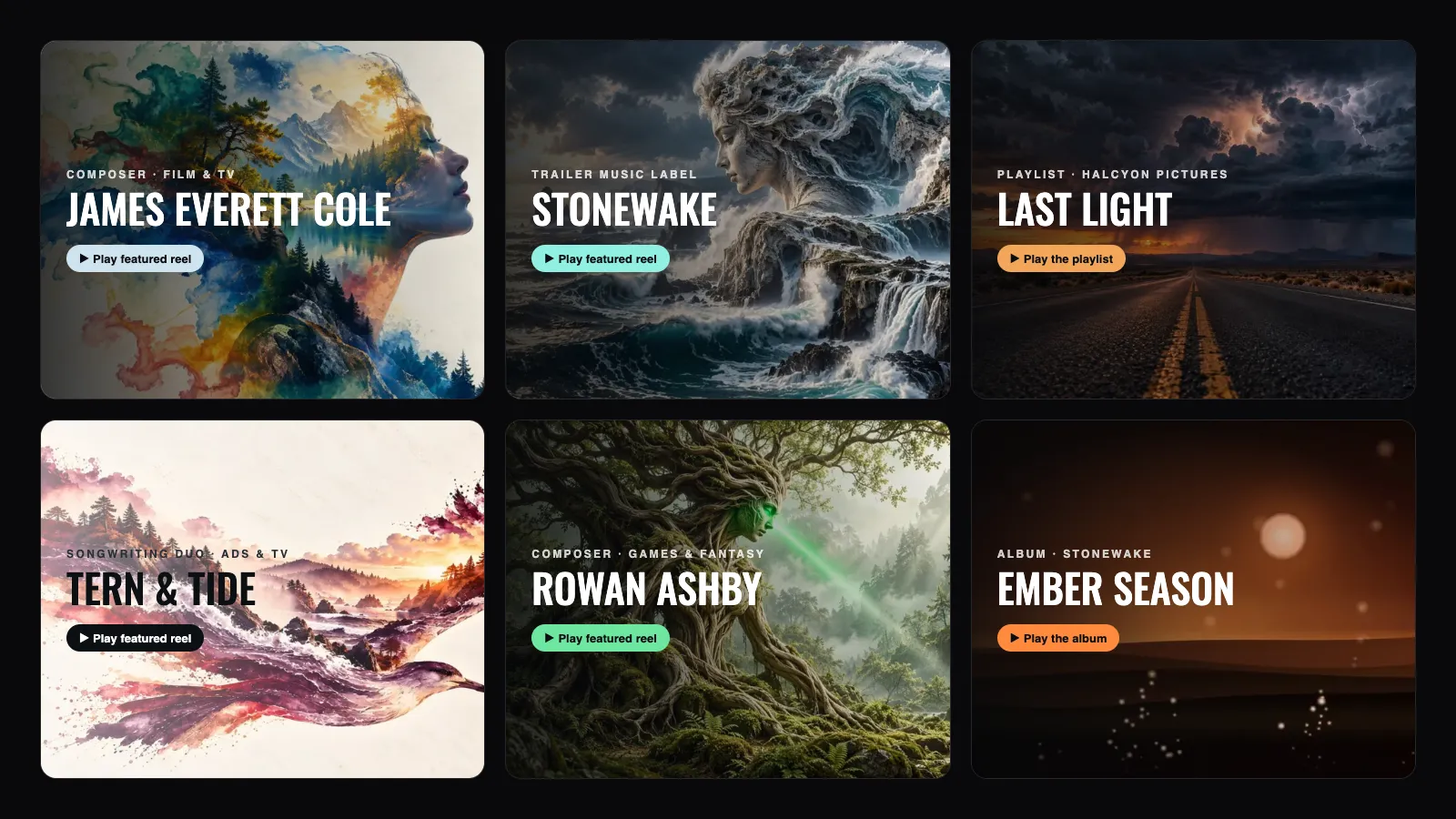

Video EPK Examples: 9 Music Pages That Open Like a Film
The short version
A video EPK is an electronic press kit that opens on moving picture: a short looping video plays behind your name, with your music, credits, bio and contacts below it on one page.
For composers and bands pitching film, TV, trailers and ads, that first screen does a job a flat banner cannot. It shows taste in picture before anyone presses play.
Below are nine of them: six portfolios, two playlists and an album. Every one is a live page you can open and play. Choosing where to build yours? Our guide to the best video EPK platforms for musicians compares Bandzoogle, EPKBuilder, ReelCrafter, Linktree, Carrd and DropCue, checked October 2026.
- Best for film and TV composers: James Everett Cole and Nora Valen
- Best for a label or a roster: Stonewake
- Best for a band: Saint Ellery
- Best light design: Tern & Tide and Golden Hour
- Best for a pitch: Last Light, a playlist, and Ember Season, an album
A note on these pages: they are example pages we built in DropCue's The Marquee design on a demo account, with invented artists and their own music. They exist so you can see the design working with real audio, not to pass as client work. Disclosure: DropCue is our platform.
What makes a video EPK different
Most EPKs open on a photo, a name and a wall of links. That works, but it reads the same as every other EPK in a supervisor's inbox. A video EPK changes three things.
It sets a mood before the music does. A slow push through fog, ink in water, a storm over a road: the clip tells a director what kind of picture you think in.
It makes the name the title card. Your name sits over the footage the way a film's title does, so the page feels like something worth watching, not a form to scroll.
It carries over to every pitch. On DropCue the same design works on playlist and album links, so a trailer pitch opens with the same look as your portfolio.
What it does not change: the music still has to be one click away. Every example below puts a play button on the first screen.
The 9 examples
1. James Everett Cole: film and TV composer
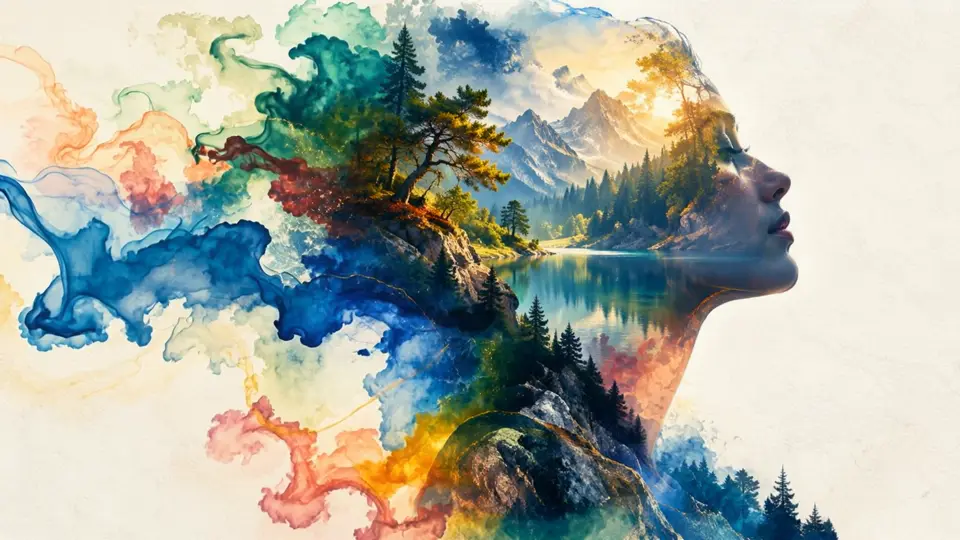
A watercolor profile slowly blooms behind the name, with neutral bands and a pale blue accent. The restraint is the point: the footage is busy, so everything else on the page is quiet. Featured music sits directly under the video, credits follow, and the full catalog sits at the bottom for anyone who wants to dig.
Steal this: if your video is detailed, keep your accent color soft and let the footage carry the color. Open the page
2. Nora Valen: documentary and drama composer
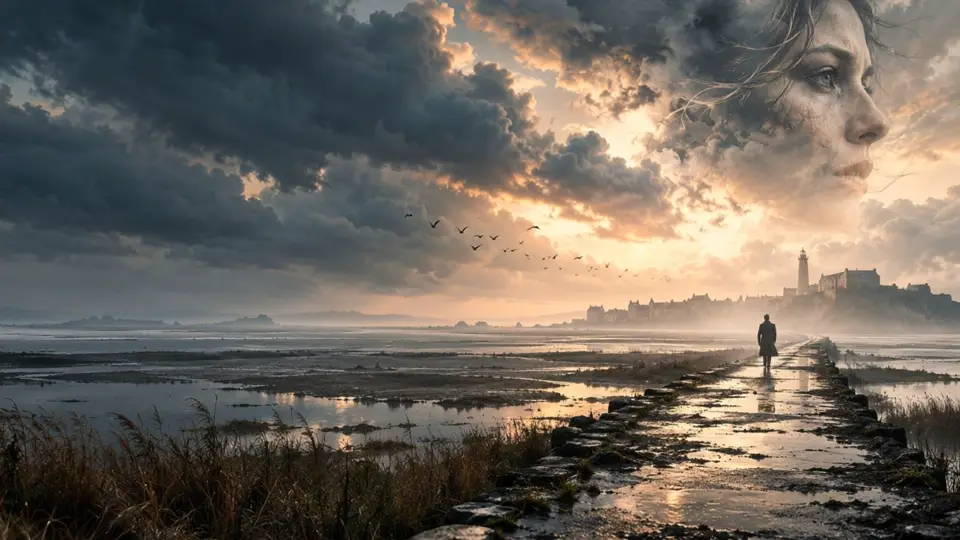
A figure walks a flooded causeway under a stormy sky. Sea blue section bands and a warm amber accent pick up the colors of the footage. The first section after the music is "How I work", a short note on process, which is exactly what a documentary director wants to read. Studio photos run as a carousel, so the page stays short.
Steal this: pull your accent and band colors from the video itself, and lead with how you work if your clients care about collaboration. Open the page
3. Rowan Ashby: games, fantasy and trailers
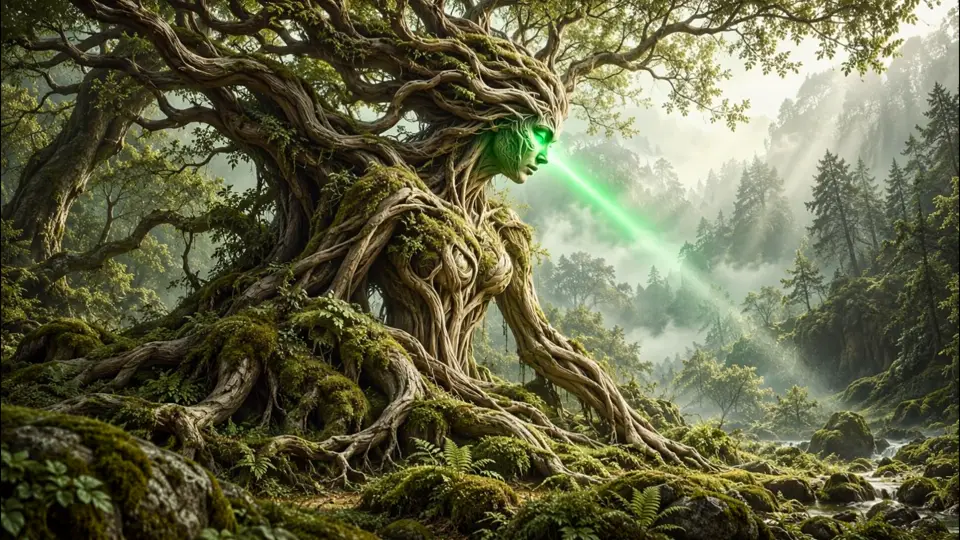
A forest spirit in an ancient tree, with a deep green band and a bright green accent. Credits come first after the music, because game and trailer clients scan for titles. The studio photos are a full-width grid rather than a carousel.
Steal this: if your credits are your strongest argument, put them right under the music. Open the page
4. Tern & Tide: songwriting duo for ads and TV
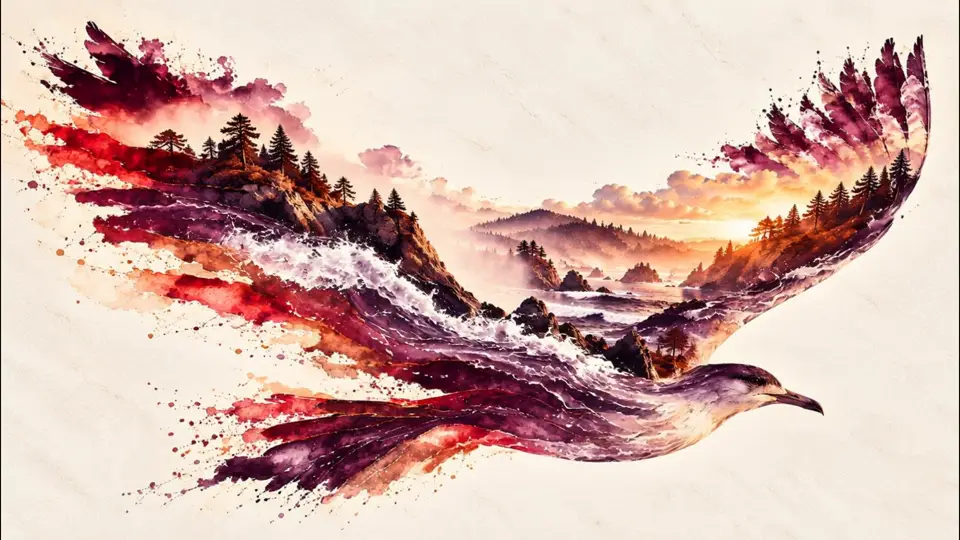
The only light page among the portfolios. The footage is pale, so the shade over the video is set to Light: dark text and a black play button instead of white. Burgundy bands and a peach accent make it feel warm and editorial, which suits a duo writing songs for ads.
Steal this: a bright video needs the Light shade. Do not fight pale footage with a dark overlay. Open the page
5. Stonewake: trailer music label
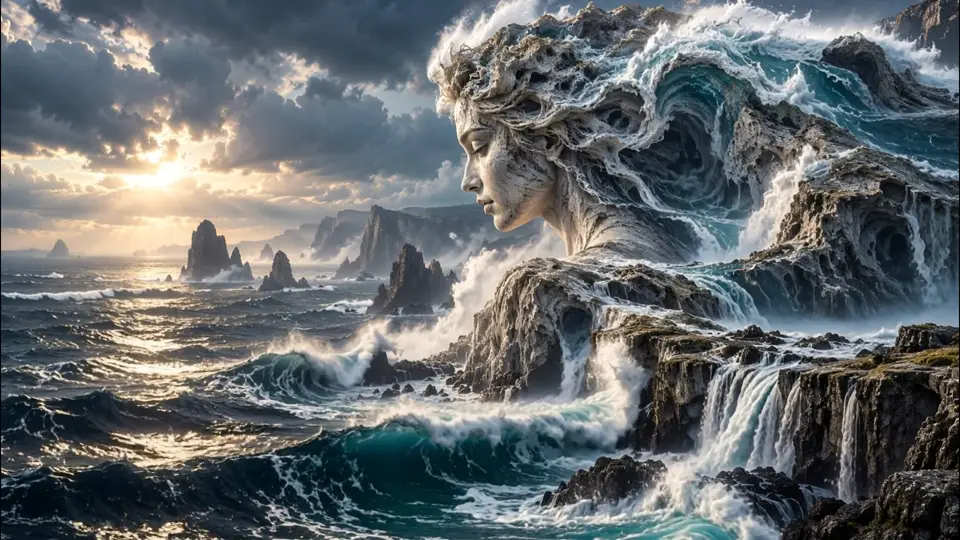
A label page, not a single composer. Albums come first instead of playlists, and the custom sections read like a label's site: Our composers, Recent campaigns, Release schedule and The room. Indigo bands and an aqua accent cut through the dark sea footage.
Steal this: if you run a roster, use custom sections for the things a music supervisor asks a label about. Open the page
6. Saint Ellery: indie rock band
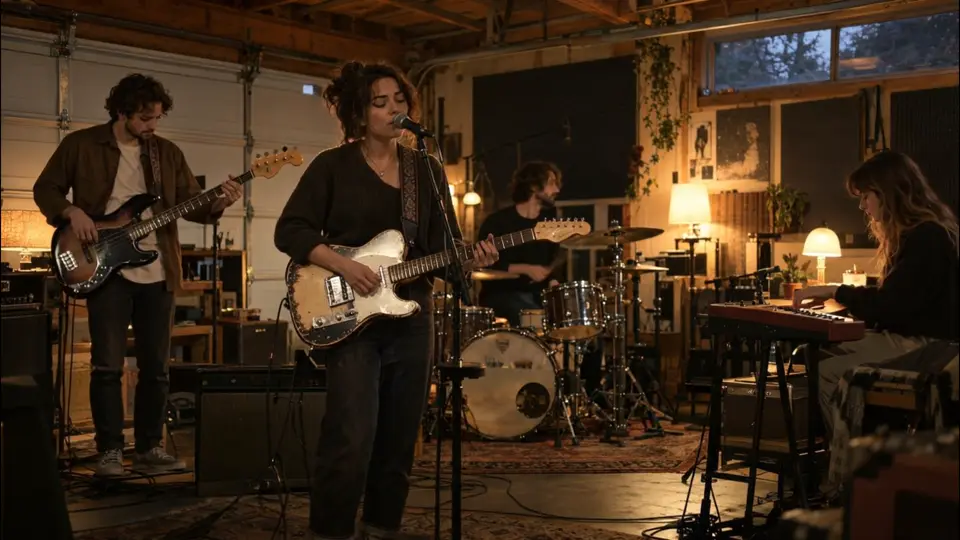
A four-piece band with songs for TV, film and ads, and the video is simply the band playing in their garage. Walnut bands and a mustard accent, and sections that tell a band's story in order: On tour, On the road (a grid of photos), The band, Heard in, The garage and Licensing.
Steal this: a band EPK can still pitch sync. Put a Licensing section at the end so a supervisor knows who to call. Open the page
7. Last Light: a trailer playlist
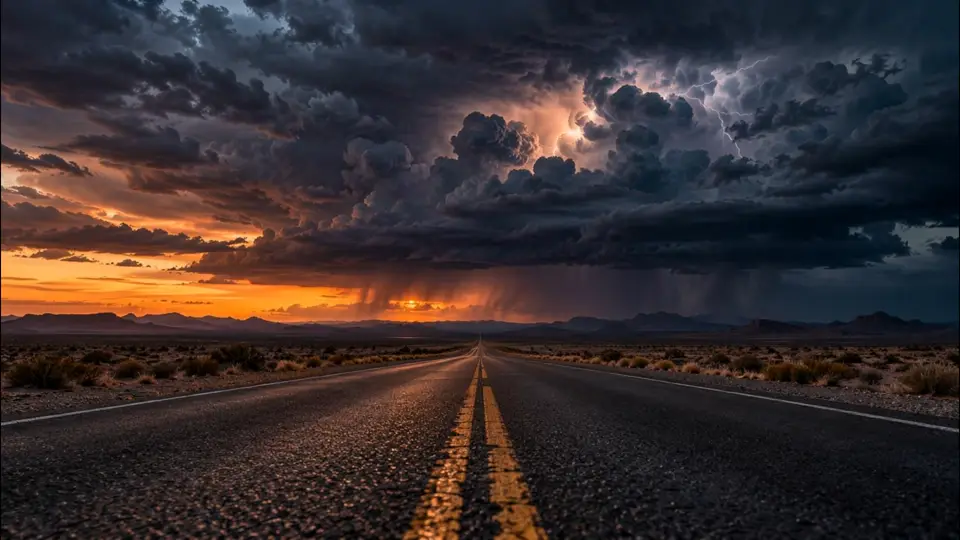
This is a playlist, not a portfolio. The title sits over a storm rolling across a desert road, and the eyebrow line names who it was curated for. Slate and amber colors, no extra sections, nothing but the music under the video.
Steal this: for a pitch, keep the page clean. The title, who it is for, and the tracks. Open the playlist
8. Golden Hour: an ad campaign playlist
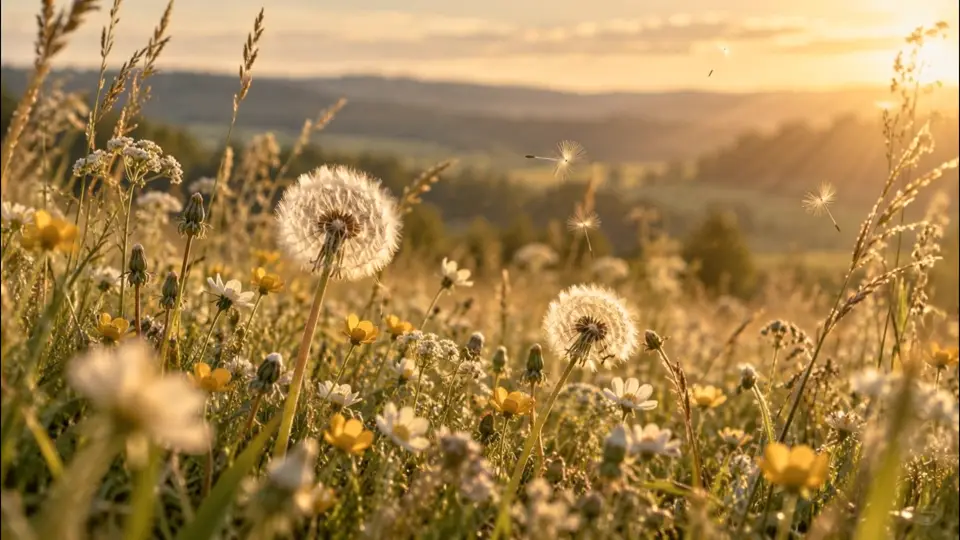
The light version of a Marquee playlist: a meadow at golden hour, the Light shade, and a gold accent. It reads like a brand campaign, which is the room it is pitched into.
Steal this: match the page's mood to the brief. An upbeat ad brief should not open on a storm. Open the playlist
9. Ember Season: an album
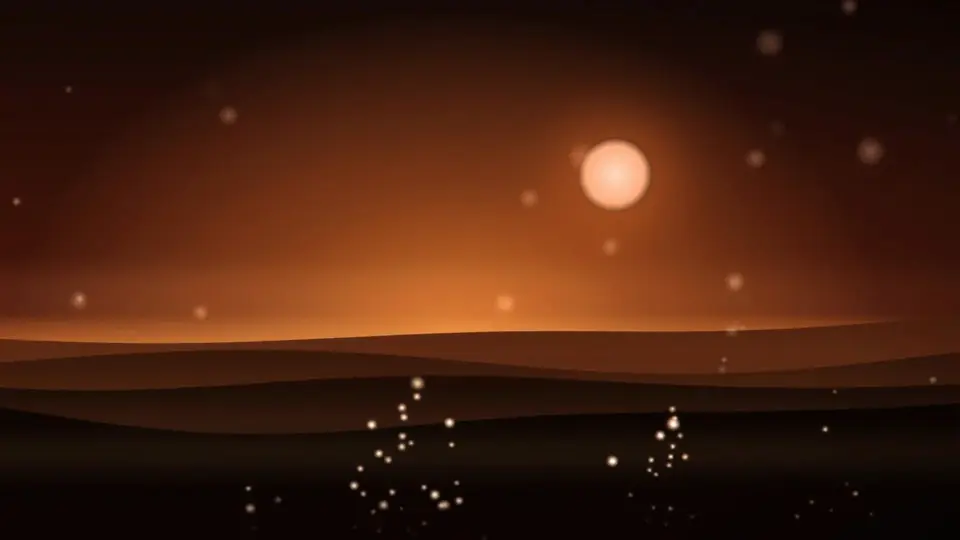
An album link in The Marquee: an ember-orange sun over dark dunes, an orange accent, and the label named as the presenter instead of the account owner. The description sets the brief in one line: big orchestral builds with fire in the brass.
Steal this: give an album its own film, built from its cover art, so the release feels like an event. Open the album
What to steal from all nine
- One idea per video. Every clip is one continuous shot: drifting ink, a storm, a meadow, a band in its garage. Nothing cuts.
- Colors come from the footage. Accent and band colors are picked out of the video, so the page feels designed, not themed.
- Music on the first screen. A play button sits right under the name on every page.
- Order follows the client. Credits first for games, process first for documentary, albums first for a label, licensing last for a band.
- Dark or Light, on purpose. Pale footage gets the Light shade; everything else gets Dark.
How to choose your video
- Length: 10 to 30 seconds. DropCue takes up to 30 seconds and 30 MB, MP4 or WebM, 16:9.
- Motion: slow and continuous, so the loop point is invisible.
- Content: no text, no talking faces and no fast cuts. Your name goes on top.
- Weight: around 10 MB loads quickly on a phone. Export at 1080p and let the encoder compress it.
- A still too: add a still picture. Visitors with Reduce Motion, Data Saver or a slow connection see it first, with a Play video button.
No footage of your own? Many of these clips started as a single still image animated into a loop. Stock libraries also sell short loops that work well.
Video EPK vs a ReelCrafter reel
ReelCrafter is known for good-looking reels, and plenty of composers use it. Here is how a DropCue video EPK compares on the things that matter for a portfolio page.
| DropCue | ReelCrafter | |
|---|---|---|
| Looping video behind your name | Yes, on portfolios, playlists and albums | Not listed on its plans page |
| Page designs | 6 portfolio, 6 playlist | Customizable layouts and design blocks |
| Price of the plan with the best design tools | Pro $19/mo ($15 annual) | Professional $25/mo ($20.83 annual) |
| Your own domain | Included on Studio | $5/mo pack (5 domains), any plan |
| Free plan | No, a 7-day free trial | Yes: 3 reels, 100 tracks |
ReelCrafter details are from its pricing page, checked October 2026. For the full side by side, see DropCue vs ReelCrafter, and for every other option, the video EPK platform comparison.
How to build yours
First, pick the design. In DropCue, open Settings, then Portfolio, then Appearance, and choose The Marquee. For a playlist or album, choose it in the Share page template picker.
Then add the video and a still. Upload your clip under Video header, plus a still picture for devices that hold the video back.
Then set the colors. Pick an accent, a section color and the shade over the video. Write a short headline and tagline.
Finally, share one link. Send dropcue.app/p/yourname, or the playlist link. Nobody needs an account to watch or listen.
The full feature list is on the video EPK page, and everything else a portfolio does is on EPK + Portfolio.
Frequently Asked Questions
What is the difference between a video EPK and a regular EPK?
A regular EPK opens on a photo or banner. A video EPK opens on a short looping video behind your name, with the same music, bio, credits and contacts below. It costs the visitor nothing extra: the music is still one click away.
Will a background video make my EPK slow on phones?
Not on DropCue. The page shows a still first and plays the muted clip once it can. Visitors with Reduce Motion, Data Saver or a slow connection keep the still and get a Play video button instead.
Can I use a video EPK design on playlists and albums?
Yes. The Marquee design works on portfolios, playlist share links and album links, so every pitch can open with the same look as your EPK.
How much does a video EPK cost on DropCue?
The Marquee is on Pro, from $15/mo with annual billing, and on Studio, from $29/mo annual, which adds your own domain. Every plan starts with a 7-day free trial with no credit card.