AI Music Artwork Generator
One-click album covers, written by your track metadata
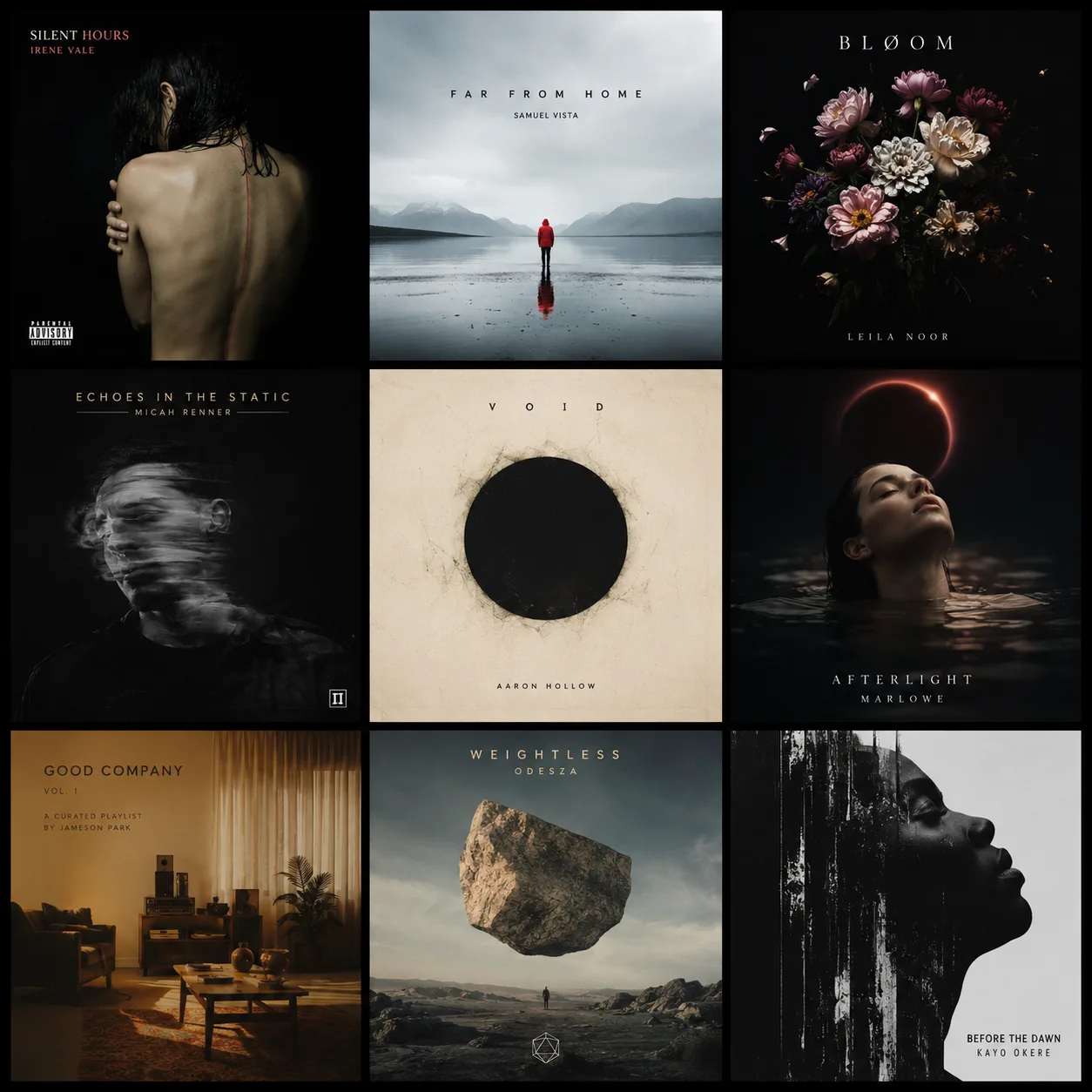
DropCue uses the genre, mood, instruments, and description on your track to build the prompt automatically. flux-dev returns a 1024x1024 cover in seconds, saved straight to your catalog. Included with Pro at $15/month annual.
7 days free. No credit card required.
What music-metadata-aware AI artwork actually is
Most AI image tools start with a blank prompt box. You describe what you want in words and the model generates an image from that description. The quality of the output depends on the quality of your prompt. For album covers that means writing out the genre, mood, instruments, era, color palette, composition, and explicit instructions to exclude text. Most musicians are not prompt engineers, so the first 5 to 10 attempts are usually unusable.
DropCue takes a different approach. Every track in your catalog already has metadata attached: genre, mood, instruments, description, and often a long-form notes field. That metadata is the same information you would type into Midjourney or DALL-E 3 to describe the music. DropCue reads it directly and assembles a detailed image prompt automatically. The prompt is sent to Replicate running the flux-dev diffusion model, which returns a 1024x1024 webp cover. The cover saves to the track or playlist with one click. No prompt writing, no Discord, no Photoshop, no separate upload step.
This matters because the bottleneck on album art for working composers is not image quality. It is workflow. The underlying model (flux-dev) is the same one Midjourney and other premium tools rely on. The difference is that DropCue removes the manual prompt writing and the upload round-trip, which is where most of the time goes.
Where Midjourney, DALL-E 3, and Canva Pro fall short for musicians
Midjourney (from $10/mo) produces beautiful general-purpose art. For album covers it requires you to write a paragraph-long prompt describing the mood, instruments, era, and visual style of the music, then iterate to fix aspect ratio defaults and text artifacts. Output lives in Discord. To use a cover you download it, open Photoshop, crop or upscale, export, and upload to your distributor or catalog. For a working composer shipping multiple covers a month, that round-trip is the bottleneck.
DALL-E 3 (via ChatGPT Plus at $20/mo) has stronger prompt adherence than Midjourney and lives inside ChatGPT, which is more accessible than Discord. Same core problem: you write the prompt. DALL-E 3 also frequently puts garbled text on album-art prompts, which is a known model limitation. The aspect ratio defaults to 1024x1024 which is correct for music, but everything else still requires manual work.
Canva Pro ($14.99/mo) includes Magic Media AI generation alongside its huge template library. Canva is excellent for general graphic design (social posts, presentations, flyers) and template-driven work. For pure AI album covers it is heavier than it needs to be: you navigate templates, find Magic Media, type a prompt, generate, export, then upload. The template overhead pays off if you are designing 20 different graphic formats for a release. For a single 1:1 cover it is overkill.
All three tools are general-purpose. None of them know what music is on your computer. DropCue is the only one with your track metadata sitting one click away.
DropCue vs Midjourney vs DALL-E 3 vs Canva Pro
| Feature | DropCue | Midjourney | DALL-E 3 | Canva Pro |
|---|---|---|---|---|
| Monthly price | $15/mo annual | $10-30/mo | $20/mo (ChatGPT Plus) | $14.99/mo |
| Music-metadata-aware prompts | Yes (auto) | No | No | No |
| One-click generation from track | Yes | Manual prompt | Manual prompt | Manual prompt |
| 1024x1024 album default | Yes (webp) | Manual aspect | Yes | Pick template |
| Saved to catalog automatically | Yes | Discord download | Manual upload | Manual upload |
| No-text prompt engineering | Built in | Manual | Garbled text common | Manual |
| Custom prompt override | Yes | Yes | Yes | Yes |
| Bundled with pitching + analytics | Yes | No | No | No |
| General-purpose image art | No | Excellent | Excellent | Strong |
| Best for | Music covers | General art | General art | Templates + social |
Competitor pricing verified at time of publication. Midjourney, DALL-E 3, and Canva Pro are excellent general-purpose tools. DropCue is the right pick when the job is music-specific cover art. Many composers use both.
Where composers use DropCue AI artwork
Single and album covers for streaming releases. Cover art for tracks going to Spotify, Apple Music, YouTube Music, and Amazon Music when you do not have budget for a designer per release. 1024x1024 webp output meets every major platform spec.
Playlist artwork for sync pitches. When you build a curated playlist for a supervisor or agency, each playlist gets its own cover that matches the vibe of the cues inside. Generated from the playlist title and aggregate metadata. Saves to the playlist itself so every share link carries the cover.
Sync library and sub-publisher uploads. Many libraries require track artwork on every cue. Generating per cue without breaking flow is the only way to keep up. DropCue generates and attaches in one click.
EP and catalog series. Cohesive cover art across an EP, an instrumental album, or a sync collection by reusing the same custom prompt seed across multiple tracks.
Social and email graphics. Hero images for announcement posts, newsletter campaigns, and link-in-bio entries. Same generated cover doubles as the social tile.
Pre-release placeholders. Working covers while a designer finishes the flagship art. Swap in the designer version when it lands.
Pricing
AI music artwork is included with DropCue Pro at $15 per month annual ($180 per year). Pro also includes AI stem separation, lyric transcription, per-recipient listen analytics, password-protected share links, timestamped waveform comments, and a 1,000-track catalog. Each track and each playlist gets 3 AI artwork generations included, with no extra credit balance to manage.
Compared to running Midjourney Standard ($30/mo), DALL-E 3 via ChatGPT Plus ($20/mo), and Canva Pro ($14.99/mo) side by side, DropCue replaces the cover-art side of all three for $15/mo annual and bundles the music pitching workflow on top. See full DropCue pricing for plan details.
Built for the music workflow
DropCue is built specifically for working music professionals. The AI artwork feature is part of a broader toolkit designed for composers and producers who ship multiple covers a month and pitch to supervisors, agencies, and libraries. Read the full feature deep dive on the blog: DropCue AI features overview.
AI cover art that knows your music
7 days free. No credit card. AI artwork, stem separation, lyric transcription, listening analytics, and private share links from $15/mo annual.
Frequently asked questions
How does DropCue's AI music artwork work?
You open any track or playlist in your DropCue library and click Generate Artwork. The system reads the metadata you have already filled in (genre, mood, instruments, description) and builds a detailed prompt automatically. That prompt is sent to Replicate running the flux-dev image diffusion model, which returns a 1024x1024 webp cover sized for streaming platforms. The artwork is saved directly to the track or playlist, no upload step required.
How does DropCue compare to Midjourney for album covers?
Midjourney is a general-purpose image generator that requires you to write your own prompts. For album art you have to describe the mood, instruments, era, and visual style yourself, then iterate to fix aspect ratio and text artifacts. Midjourney Basic is $10/mo for 200 GPU minutes, Standard is $30/mo. DropCue's AI artwork is included with Pro at $15/mo annual and writes the prompt for you using the metadata already on your track. Same underlying flux-dev quality, none of the prompt engineering work, no Discord round-trip, and the cover is auto-saved to your catalog.
Is DropCue better than DALL-E 3 for music covers?
DALL-E 3 (via ChatGPT Plus at $20/mo) is a strong general-purpose image generator with excellent prompt adherence. For music covers specifically, DALL-E 3 still requires you to write the prompt and frequently produces garbled text artifacts on album covers. DropCue is music-metadata-aware: it pulls genre, mood, instruments, and description from the track itself, prompts flux-dev with explicit text exclusion, and saves the 1024x1024 webp directly to the track. For album art, DropCue is the better fit. For general illustration work, DALL-E 3 remains a great tool.
How does DropCue compare to Canva Pro?
Canva Pro ($14.99/mo) includes Magic Media AI image generation alongside its template library. Canva is built for general graphic design (social posts, presentations, flyers) and templates dominate the workflow. DropCue is built specifically for music: every cover is generated from track metadata, sized to 1024x1024 for streaming, and attached to the catalog automatically. If your work is mostly social graphics with the occasional cover, Canva Pro is fine. If you ship multiple covers a month for streaming releases and sync pitches, DropCue is the right tool.
Can I customize the AI prompt?
Yes. The default behavior uses your track or playlist metadata, but you can override with a custom prompt for full creative control. Useful when you want a specific visual direction that the metadata alone would not capture, like a particular era, color palette, or art style. The custom prompt feeds into the same flux-dev model and outputs the same 1024x1024 format.
What format is the artwork?
Outputs are 1024x1024 webp at 1:1 square aspect ratio. That is the standard for Spotify, Apple Music, YouTube Music, Amazon Music, and most pitch deck templates. The webp format is smaller than PNG or JPEG at equivalent quality, which keeps your shared playlists fast to load. If you need PNG or JPEG for a downstream tool, any image editor can convert it in one step.
How many generations do I get per track?
Three generations per track and three per playlist are included with Pro. Each generation produces a fresh image so you can pick the one that fits best. There is no separate AI credit balance to manage and no overage charges. If you need more, you can override with a custom prompt and run again on the same track.
Does the AI put text on the cover?
No. The prompt sent to flux-dev includes explicit instructions to exclude text, letters, words, and watermarks. This avoids the garbled-text artifact that plagues generic image generators like Midjourney and DALL-E 3 on album-art prompts. If you want the track title or artist name on the cover, add it in your own image editor afterward.
Can I use these covers on Spotify and Apple Music?
Yes. The 1024x1024 webp output meets the resolution and aspect ratio requirements for every major streaming platform. Spotify requires 3000x3000 for distributor uploads, so if you are sending art to your distributor (DistroKid, CD Baby, TuneCore) you may want to upscale the webp first. For sync pitch playlists, DropCue shared links, and most online use, 1024x1024 is correct out of the box.