Can I add videos to the playlists I send?
Updated · By Marc Aaron Jacobs
Yes, on Pro and Studio, from $15 a month billed annually, you can upload videos next to your audio and send them in the same playlist.
Watch: Add a video to a playlist you send (0:36)
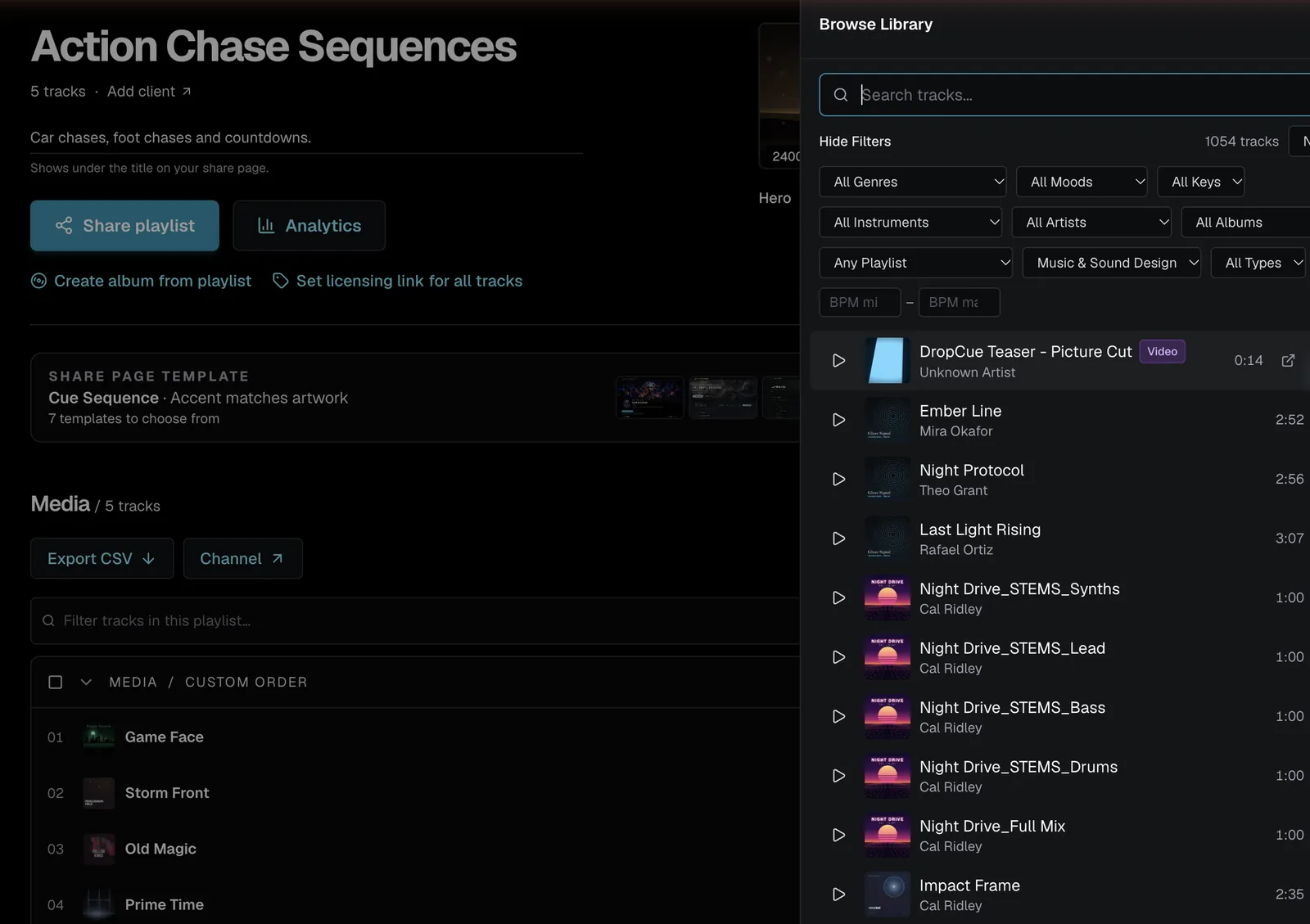
Send a video in the same playlist as your music with DropCue. Upload an H.264 MP4 up to 1 GB in Media, add it to your playlist from Browse Library, and send the link as usual.
Under a minute: upload an MP4 in Media, add it to a playlist from Browse Library and send the link as usual.
Video transcript
Here's how to send a video in the same playlist as your music. In Media, click Upload. Export your video as an H.264 MP4, up to one gigabyte. Drop it in, and it lands in your library next to your tracks. Open your playlist, click Browse Library, and add the video. It sits right in the playlist with your cues. Send the playlist link as usual. They open the link and watch in the browser, with no account needed. Video uploads are on Pro and Studio.
How to add a video
- Upload the video. Open Media, click Upload and drop in the video file, the same way you upload audio. Each file can be up to 1 GB.
- Add it to a playlist. Open the playlist, click Browse Library and add the video next to the tracks it goes with.
- Send the link. Click Share playlist and send a tracked link as usual.
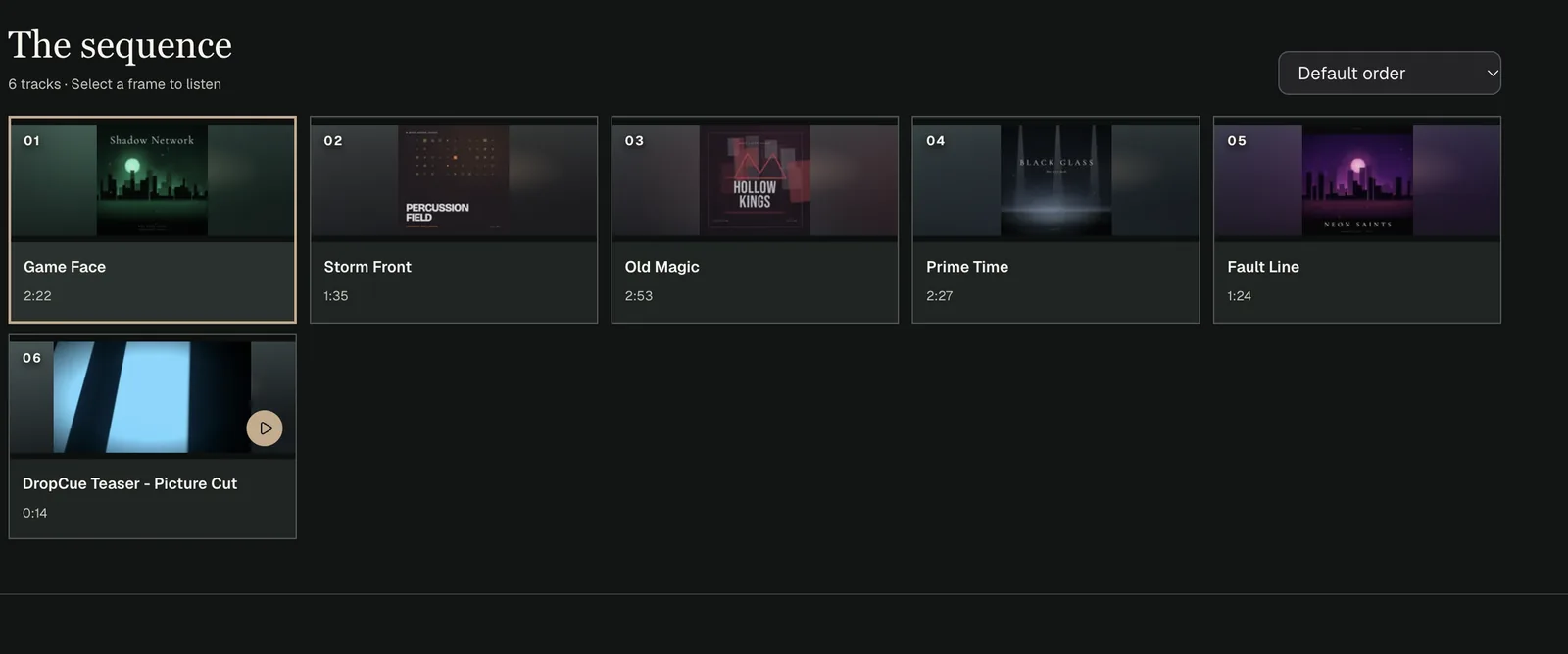
- They watch in the browser. The person opens the link and plays the video on the playlist page, with no account needed.
What does the person see when they play a video?
The video opens large in the middle of the page with the rest dimmed, and your logo and name sit in the top left corner of the video. This suits a picture pitch, where the supervisor should watch the cue against the scene.
They can press Escape or click outside the video to shrink it to a small floating player and keep browsing the playlist. It stays small as the playlist moves to the next item, until they press play on a video again. On a phone it plays in the page rather than switching to full screen.
Which video files can I upload?
On Pro and Studio, Media on the web accepts MP4, MOV and WebM files. They upload the same way as audio, and you can mix them with tracks in the same playlist and the same sections. Before anything uploads, DropCue checks that each video plays in your browser. A file that will not play is skipped, and a message names it. To be sure a video plays for everyone, export it as an H.264 MP4.
Plays of a video are counted in your analytics just like plays of a track, so you can see who watched it on the playlist's analytics page.
What happens to my videos if I leave Pro?
Videos only show on shared playlists while your plan includes video. On a plan without it, video items are hidden from the shared page, and they are left out of the track count and the Download playlist zip, so a playlist never promises files it does not show. Studio includes video too, so moving from Pro to Studio changes nothing here.
Your audio keeps playing as normal. If you send a lot of picture pitches, check that the playlist still looks right before you send it after any plan change.
Good to know
- ●Export videos as H.264 MP4 so they play in every browser.
- ●Videos have no waveform and their file cannot be replaced. Upload a new video instead.
- ●Video uploads are made in the browser, not in the iPhone app.
- ●For a portfolio page that opens with a video, see Can I make a video EPK?
“DropCue combines the best of the best into one beautiful place. I'll be referring my friends and anybody who needs a fully featured platform. Y'all have made my dream come true.”
Questions
Is video on the Artist plan?
No. Video uploads are on Pro and Studio.
How big can a video be?
Up to 1 GB per file.