Can I see which parts of a track someone heard?
Updated · By Marc Aaron Jacobs
Yes, on Pro and Studio, from $15 a month billed annually, DropCue shows which parts of each track were heard, for each listener and across all plays.
Watch: See which parts of a track someone heard (0:39)
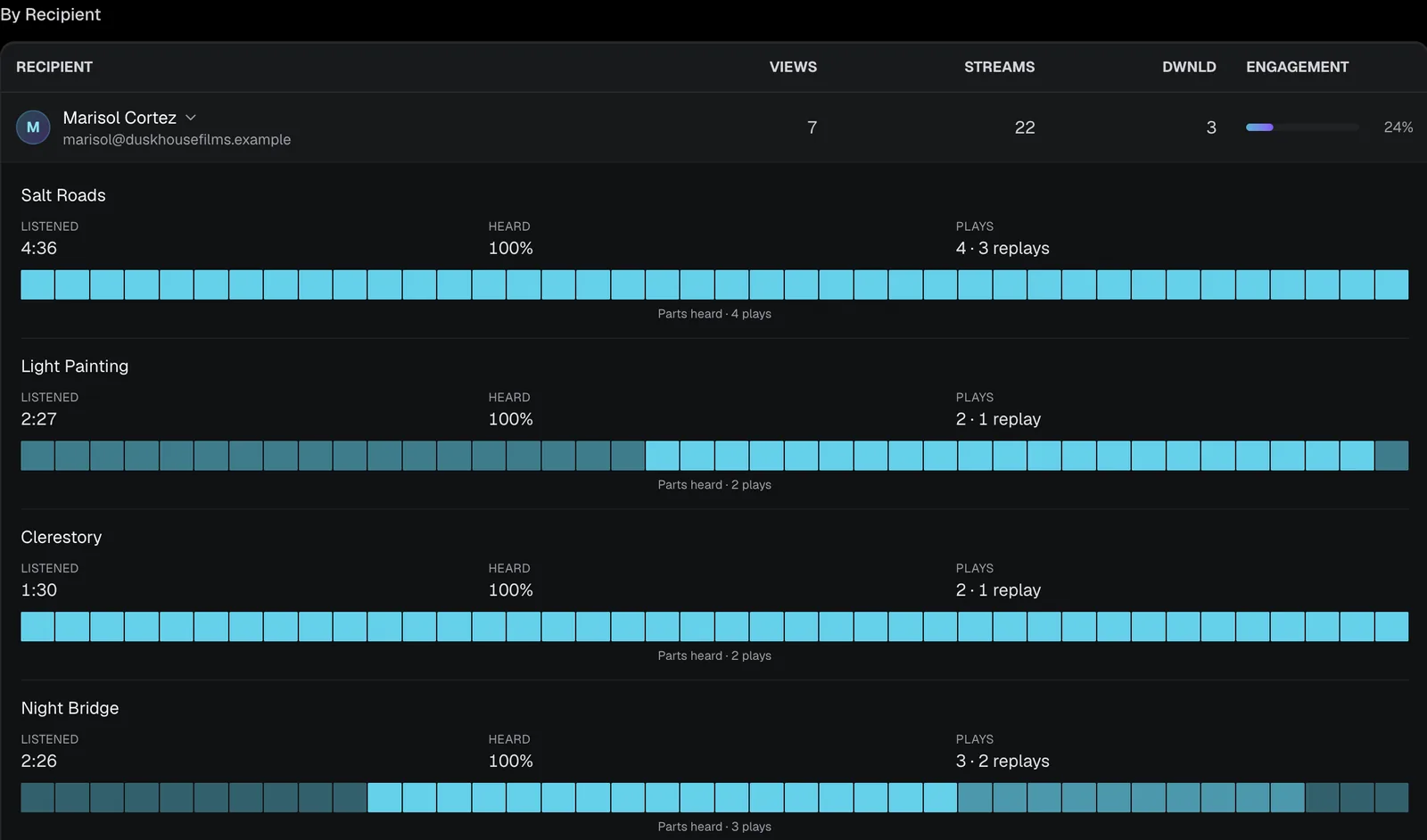
See which parts of a track someone heard: open a person in By Recipient and read the strip for each track. The brighter a part, the more of their plays reached it, and dark parts were never heard.
Under a minute: open one listener and read the parts heard strip for each track.
Video transcript
Here's how to see which parts of a track someone actually heard. Open the playlist's Analytics and scroll to By Recipient. Click a person to open their listening. Every track gets a strip. The brighter a part, the more of their plays reached it. Dark parts were never heard. Here, every play reached the second half, but only one of them heard the opening. You also see how long they listened, and how many times they replayed it. Use it before you follow up, so you can talk about the part they liked. Parts heard is on Pro and Studio, from fifteen dollars a month, billed annually.
Where to find it
- Share with tracked links. Share a playlist or album and give each person their own tracked link.
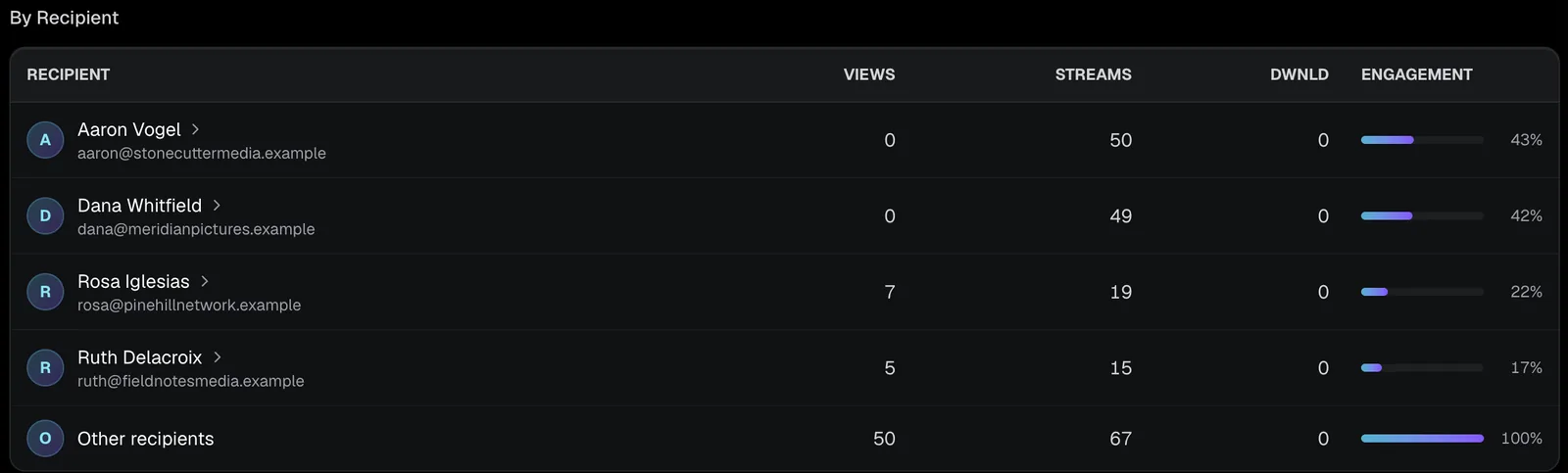
- One listener. Open Analytics, then the playlist, and click a name in By Recipient. Each track they played shows a Heard percentage and, once recorded, a Parts heard strip.
- Every listener. Open Analytics, then the Tracks tab. Each track has a parts heard strip across all its plays.
- One track in detail. Click a track. Which parts were heard shades its waveform by how many plays heard each part. Point at any part to see the count.
What counts as heard if someone skips around the track?
Only the stretches that actually played. If a supervisor jumps from the intro to the last chorus, the part in between stays dark on the strip. DropCue records each stretch that played and joins them together for that play.
Hearing the same part twice does not raise the Heard percentage, since that is the share of the track heard at least once. Going back about 5 seconds or more, or starting the track again, shows up as a replay instead. Pausing does not start a new play and pauses are not tracked. On the Tracks tab, every play is lined up against the track's length and combined into one strip.
What does Most heard part tell me?
It gives the time range that the most plays heard, such as 0:45 to 1:20. When no part stands out, it reads Evenly heard. Together with Heard the opening and Heard the ending, it shows whether people stay for the whole cue or only for one section.
Use it before a follow up. If the most heard part is the build into the drop, mention that section, or cut a shorter edit around it for the next pitch. Keep in mind that it counts plays, not people. One listener who replays a part many times can lift it, so check the per-person view before you read too much into it.
Does it work with snippets?
Yes. On Pro and Studio, click Snippet (the scissors) on a track in a playlist to choose where playback starts and ends. The shared page jumps to the start and moves to the next track at the end. Snippets work on audio tracks, not videos, and the button is on the wider layout, not on a phone.
A play that reaches the end of the snippet counts as finished. That way a supervisor who hears the full 40 second highlight you chose is not marked as skipping a 3 minute track. Snippets are set per playlist, so the same track can start at a different point in each pitch while the file itself stays unchanged.
How to read it
- ●A brighter part of the strip means more plays heard it.
- ●The track page also shows Heard the opening, Most heard part and Heard the ending.
- ●Plays recorded before DropCue tracked which parts were heard show no strip.
- ●Pauses are not tracked.
Questions
Can I see this for one person?
Yes. Click their name in the By Recipient table on the playlist or album analytics page.
Is this on the Artist plan?
No. It is part of the full analytics on Pro and Studio.