Can I password-protect a playlist?
Updated · By Marc Aaron Jacobs
Yes, password protection is included on Artist, Pro and Studio, from $8 a month billed annually.
Watch: Password protect a playlist (0:39)
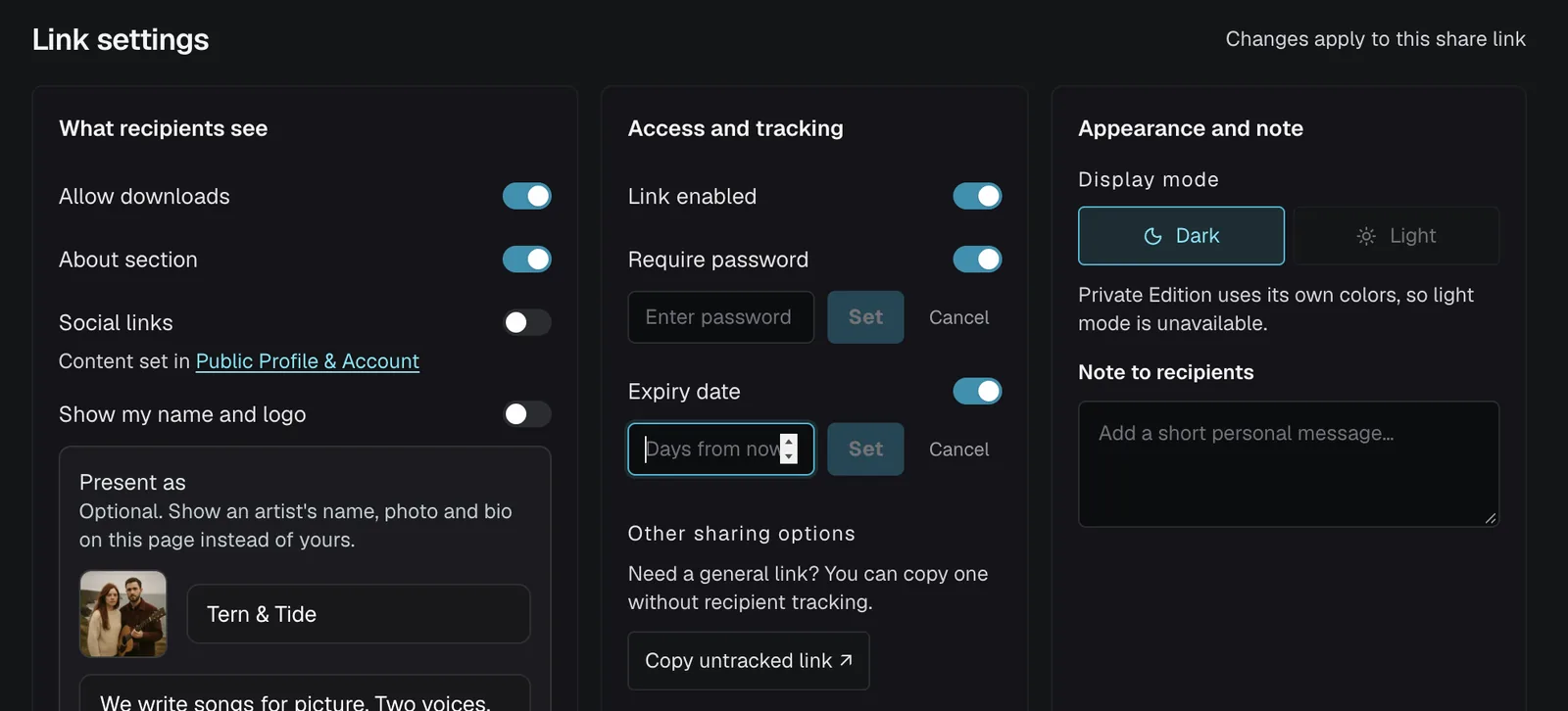
Put a password and an expiry date on a music playlist before you send it: in Share playlist, open Link settings, switch on Require password and click Set. The listener sees a password box until they enter it.
Under a minute: Require password, an expiry date, and what the person you send it to sees.
Video transcript
Here's how to put a password on a playlist before you send it. Open the playlist and click Share playlist. Scroll down to Link settings. Switch on Require password, type at least six characters, and click Set. Add an expiry date too, so the link stops working after the number of days you choose. The link now shows Password protected. The person you send it to sees a password box, and nothing else, until they enter it. Passwords and expiring links are on Artist, Pro and Studio, from eight dollars a month, billed annually.
How to add a password
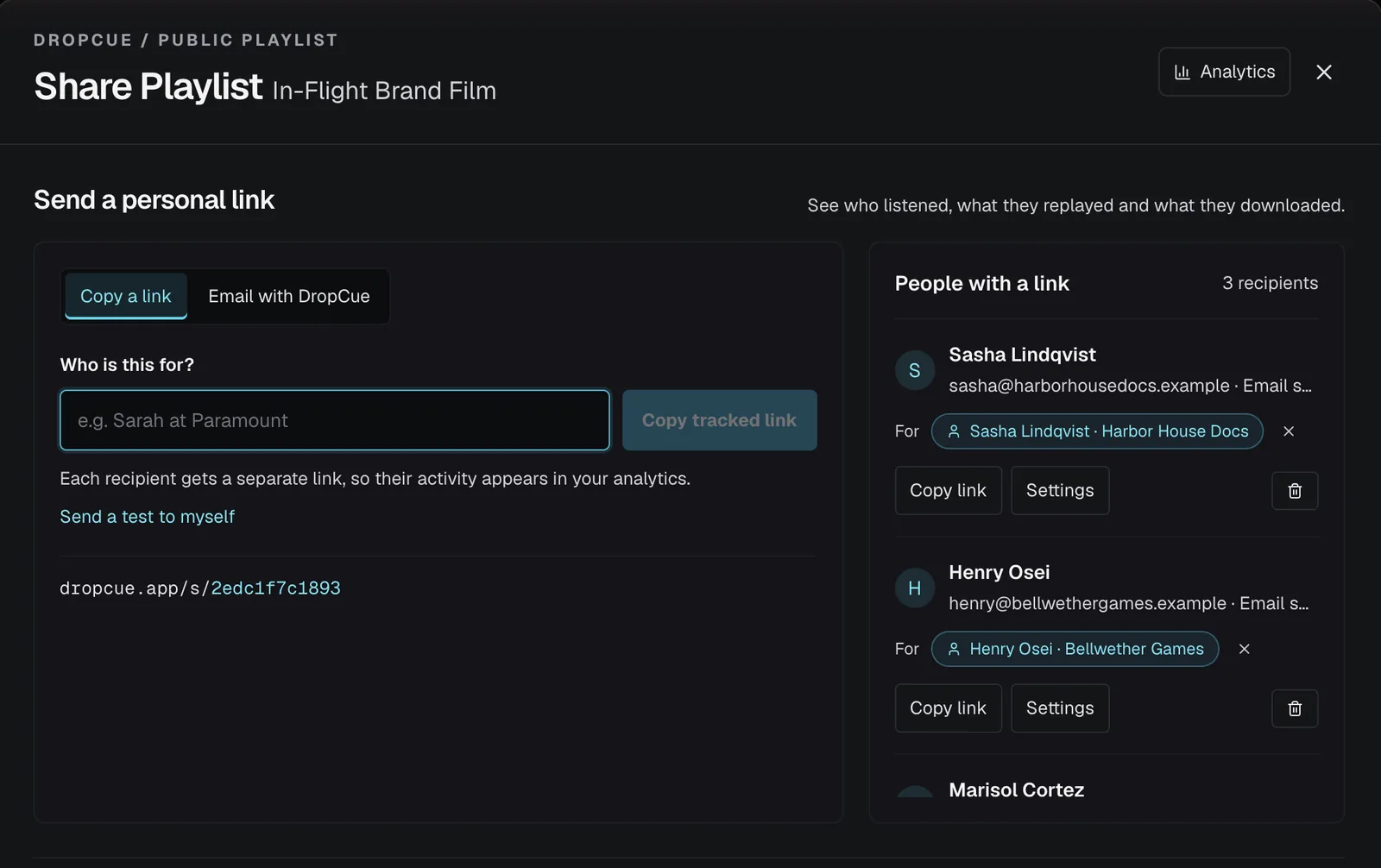
- Open the share window. Open the playlist and click Share playlist.
- Turn on the password. Under Link settings, in Access and tracking, turn on Require password.
- Set it. Type a password of at least 6 characters and save it.
- Send the link and the password. If you email the link from DropCue, the password is included in the email.
What does someone see when they open a password-protected link?
They see a password box. The playlist title and the tracks stay hidden until the right password is entered. After too many wrong tries, the page says: Too many attempts. Please wait 15 minutes and try again.
When the link is pasted into iMessage, Slack, WhatsApp or an email, the preview card shows your name and cover art but not the title or tracks. If you want nothing shown at all, turn on Hide details in link previews, which appears under the password once one is set. Previews already shared can take a while to refresh in some apps.
Can I change the password or see it again later?
Yes. In the share window, under Access and tracking, click the pencil next to the password to set a new one. The new password replaces the old one for that link. Type the new one and click Set, or press Escape to cancel without changing anything.
DropCue stores passwords in a form it cannot read back. If the password is not shown, the window says Password can't be displayed. Use the pencil to set a new one. When you email the link from DropCue and the password is not known, DropCue asks you to type it so it can go in the email.
Does the password apply everywhere the playlist appears?
It applies to the share link and to the embedded player. If you embed a password-protected playlist on your website, visitors see This playlist is password protected. and a Listen on DropCue button that opens the full page, where they enter the password.
Your portfolio is different. If you add a password-protected playlist to your portfolio, it plays there without the password. The Add music list marks it has a password and notes that it plays without it on your portfolio. Keep private pitch playlists off your portfolio. The same Require password switch is in the share window for albums.
Good to know
- ●One password covers one share link, so everyone with that link uses the same password.
- ●Turn the switch off to remove the password.
- ●On the same screen you can set an expiry date, in days, so the link stops working on its own. Expiry dates are on the same plans as passwords.
- ●The older Starter plan, which is closed to new signups, does not include passwords or expiry dates.
Questions
Can each recipient have their own password?
No. A password is set per share link. Each recipient still gets their own tracked link.
How long does the password need to be?
At least 6 characters.