How do I make a music portfolio site for sync licensing?
Updated · By Marc Aaron Jacobs
On Pro and Studio, from $15 a month billed annually, Build my page turns your DropCue library into a sync portfolio: up to 12 of your songs, your credits and reels, and clearance facts such as one-stop, stems and instrumentals.
Watch: Build a sync portfolio with Build my page (0:55)
Build a music portfolio site for sync licensing with Build my page in DropCue: pick music supervisors as your audience, tick your clearance facts (one-stop, stems, instrumentals), add your credits, pick a look and publish.
Under a minute: answer a few questions, add your clearance facts and credits, and publish.
Video transcript
Here's how to build a music portfolio site for sync licensing in DropCue. Open Settings, then Portfolio. Click New portfolio, then Build it for me. Answer a few quick questions: the name on your page, and what you do. Then who it's for. Pick music supervisors. Describe your sound in a sentence, and add a few facts about you. Supervisors need to know your music clears fast. Tick one-stop, stems and instrumentals, and add your credits. Pick a look, and DropCue builds the page. It picks up to twelve of your songs, adds your albums, and writes the page from your answers. Nothing is live yet. Swap anything you like. Your clearance facts and credits are right there for a supervisor. When it looks right, click Publish portfolio. Portfolios are on Pro and Studio, from fifteen dollars a month, billed annually.
How to build it
- Upload your music. Build my page needs at least 6 tracks in your library. It picks up to 12 songs for the page, taking songs from your albums first.
- Start the builder. Open Settings, then Portfolio. Click New portfolio, then Build it for me.
- Say who it is for. Answer the questions. Under Who is this page for?, pick who you pitch to, such as Music supervisors, Trailer houses, Ad agencies or Game studios. Under A few facts about you, add your YouTube or Vimeo reel links.
- Add your clearance facts. In Make it richer, tick what is true: One-stop: I control master and publishing, Stems available, Instrumentals available. Add your credits as rows.
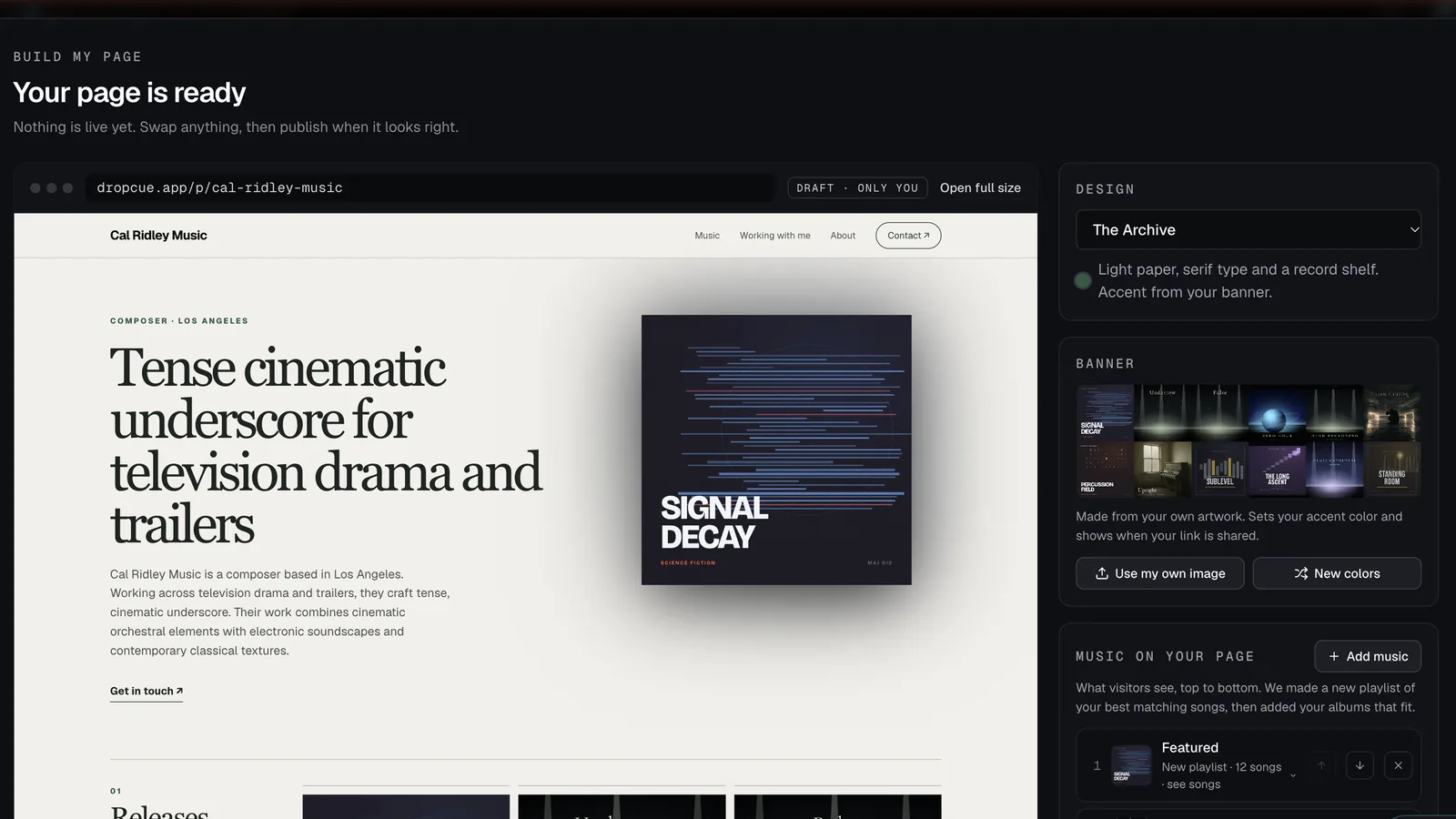
- Check it and publish. Pick a look, review the page and swap anything you want. Nothing is live until you click Publish portfolio.
What does Build my page ask me?
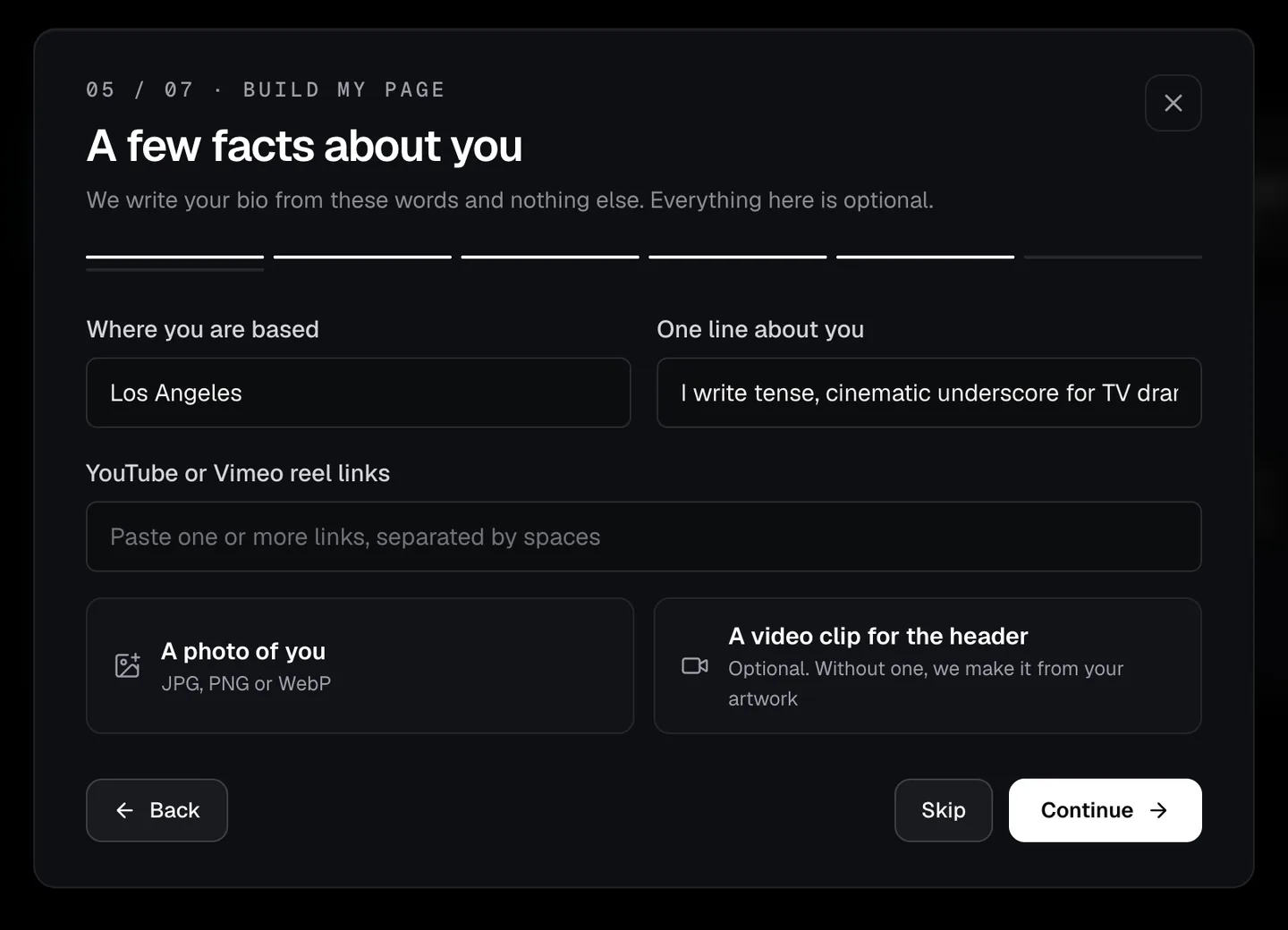
It starts with the basics: What name goes on your page?, What do you do?, Who is this page for? and Describe your sound in a sentence, such as tense cinematic underscore for TV drama. Only the name is required. Your sound sentence picks your best 12 songs. The next step, A few facts about you, asks where you are based, one line about you and reel links, and your bio is written from those words and nothing else.
Make it richer adds the parts supervisors look for. You can add photos, a few words about your studio or setup, and how a job goes with you. Under Licensing, you can also tick Custom music to the brief and Fast turnaround. Each credit is a row with the title, what it was and your role, and the year.
Can I have a different portfolio for each type of client?
Yes. Pro lets you keep up to 10 portfolios and Studio has no limit. Click New portfolio to build another, or Duplicate one you already have and change the songs and the bio.
This is useful when one catalog covers very different work. A trailer house wants big hybrid cues and a fast way to clear them. An ad agency may want warm acoustic songs. On Studio, the Credits step also suggests rows from your License Tracker and placed pitches, so you can tick the ones that fit each page.
Which music ends up on the page?
The builder matches your songs to the audience you chose. It adds up to 6 of your albums, since albums are releases you have already made public. Sound design, such as hits, risers and whooshes, is left off unless your sound sentence asks for it.
The builder makes a new Featured playlist of your best 12 songs, matched to your sound sentence and audience, then adds up to 6 of your albums that hold those songs. It never adds one of your playlists on its own. In Add music, the list shows whether each item is an album or a playlist and how many tracks it holds, and marks anything that has a password, which plays without it on your portfolio. Click see songs on the Featured playlist to see what the builder picked.
What a sync portfolio needs
- ●Clearance facts: whether you are one-stop, and whether stems and instrumentals are available. A supervisor needs to know one email clears a track.
- ●Credits and a reel, so a supervisor can see where your music has already worked.
- ●The builder never puts alt mixes, deleted tracks or videos in the song list, and never adds your existing playlists, since those are often client pitches.
- ●Every word of the bio and sections comes from your answers. Nothing is invented.
- ●Your page lives at dropcue.app/p/your-name. You can also give each person their own tracked link.
“DropCue is a great resource for composers looking to organize and present their music professionally. Its focus on metadata and licensing makes it a valuable addition to a composer’s workflow. Highly recommended!”
Questions
Do I need a separate website builder?
No. The portfolio is a full page with your music, credits, reels and contacts, and you can send it as it is.
Is the portfolio on the Artist plan?
No. The portfolio is on Pro and Studio.